CRMb 2.0: Ready for iPhone Duo, Paid Online Through Stripe
CRMb 2.0 is live on the App Store for iPhone, iPad and Mac. It is the biggest release since CRMb launched: CRMb is ready for iPhone Duo from day one, your clients can pay invoices online through Stripe, invoices can repeat on their own, and you choose what each teammate can open, tab by tab. Everything below is in the update waiting on your device today, on the same account you already use on the web, on Android and in Punch.
Ready for iPhone Duo
iPhone Duo opens into a display big enough to run a business on, and CRMb was built for it before it shipped. Open, CRMb fills the inner display. Partly folded, it lays each screen out around the fold instead of across it: in landscape, card lists go two to a row with one column on each side; in portrait, the section the fold would cut moves below it, and a table the fold crosses splits in two. Closed, the outer display runs CRMb the way it runs on every iPhone, and the screen you were on grows when you open the phone.
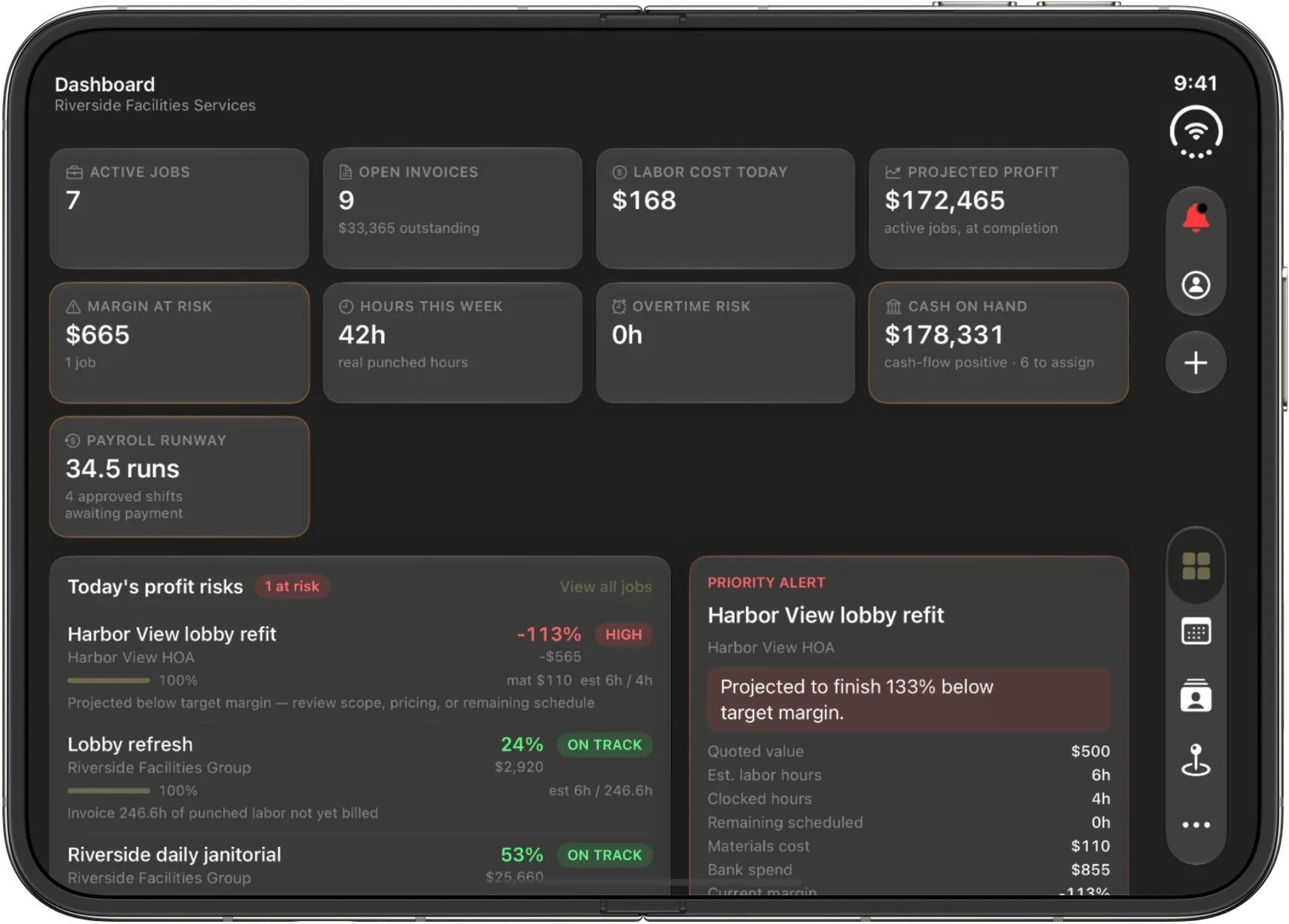
Open in landscape, the Dashboard's figures, today's profit risks and the priority alert sit side by side, and each section's actions live in a toolbar down the side so nothing covers the work.
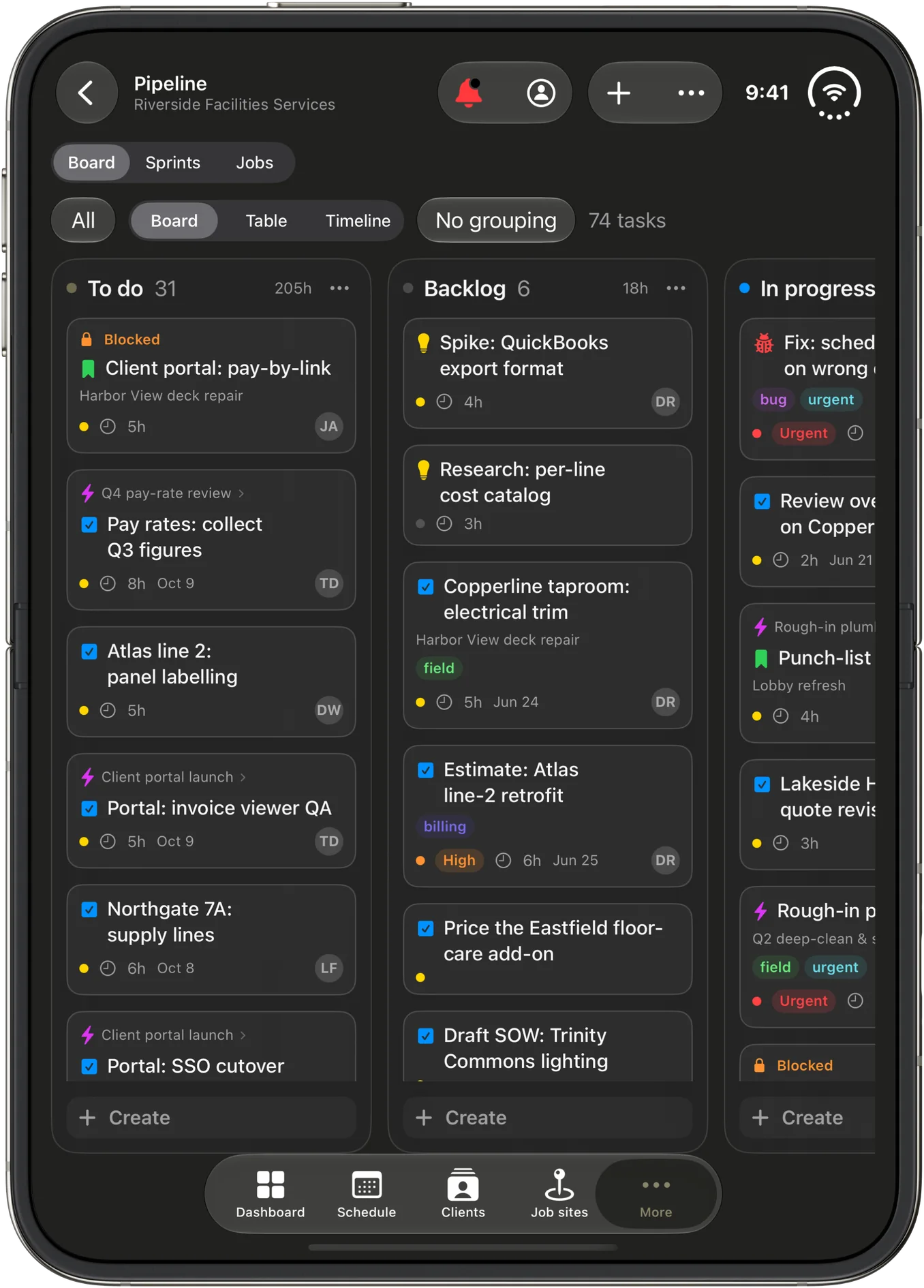
Open in portrait, the inner display holds three Board columns, each task with its labels, its estimate and who has it.
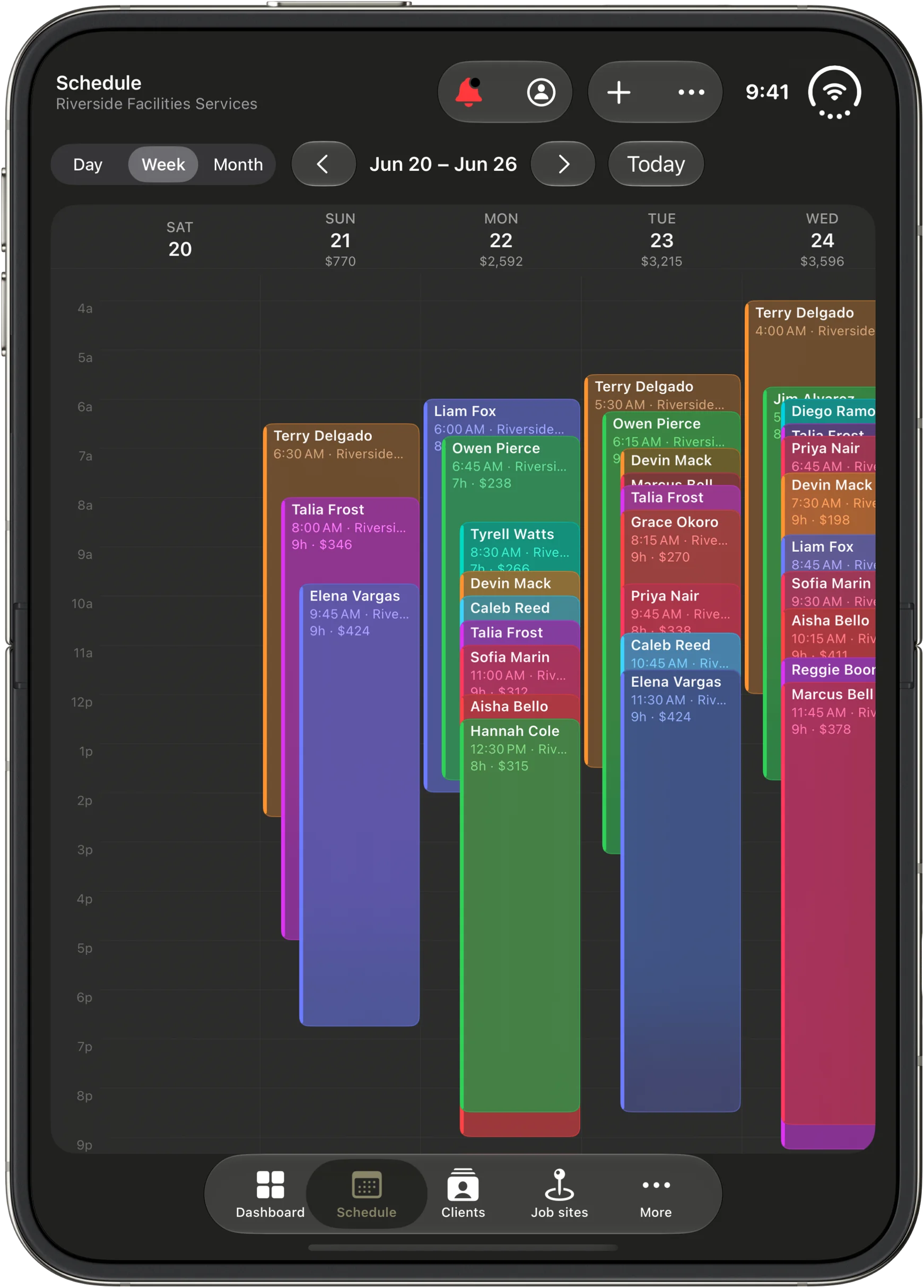
The Schedule in portrait shows five days at once, every shift as a block with the person, the time, the job site and the hours, and the labor cost under each day.
Get paid online with Stripe
Your invoices can now carry a Pay Now link.
- Connect your own Stripe account in Settings, under Invoice & branding. Stripe's fees apply; CRMb adds nothing on top.
- Once Stripe has set it up, every invoice email and PDF carries Pay Now. It opens the invoice with a Pay button for the balance due. Clients pay by card, or by bank transfer in the US.
- Each payment records itself on its invoice with the card's last four digits and Stripe's receipt. Paid in full marks the invoice Paid. Refunds and disputes show in plain words, and Stripe's fee is booked as an expense in your books on its own.
- You hear about it. Owners are notified when a client pays online, pays twice, is refunded, or disputes a payment.
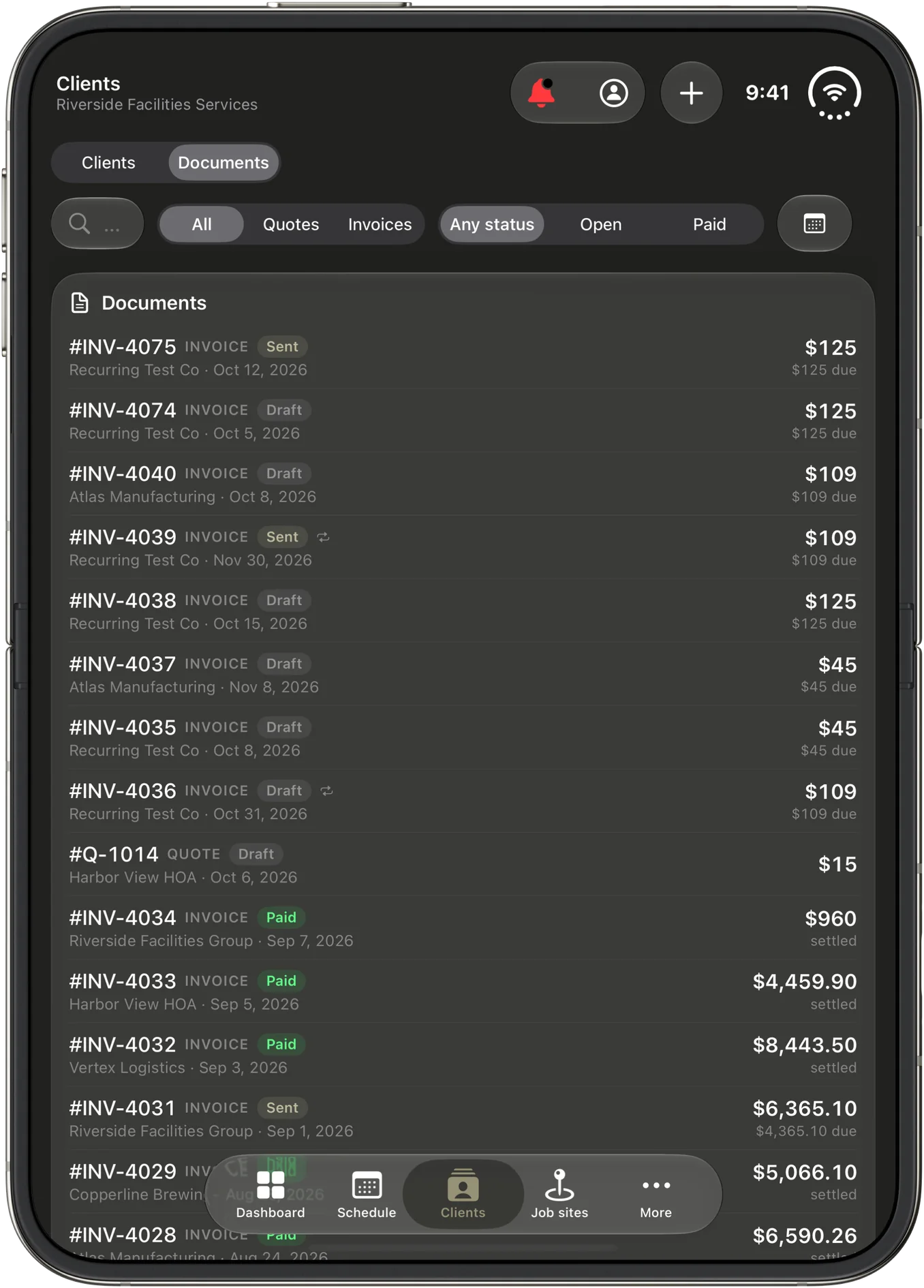
Repeating invoices
Some work bills the same every month. Set an invoice to repeat, weekly to yearly, choose when it ends, and CRMb makes each new one on the day and emails it to your client with the PDF. A client with no email on file gets a draft waiting for you instead of a lost invoice. Pause, edit or stop a series any time, and see every invoice it has made.
Choose what each teammate can open
Your office manager does not need Inventory. Your field crew does not need the books.
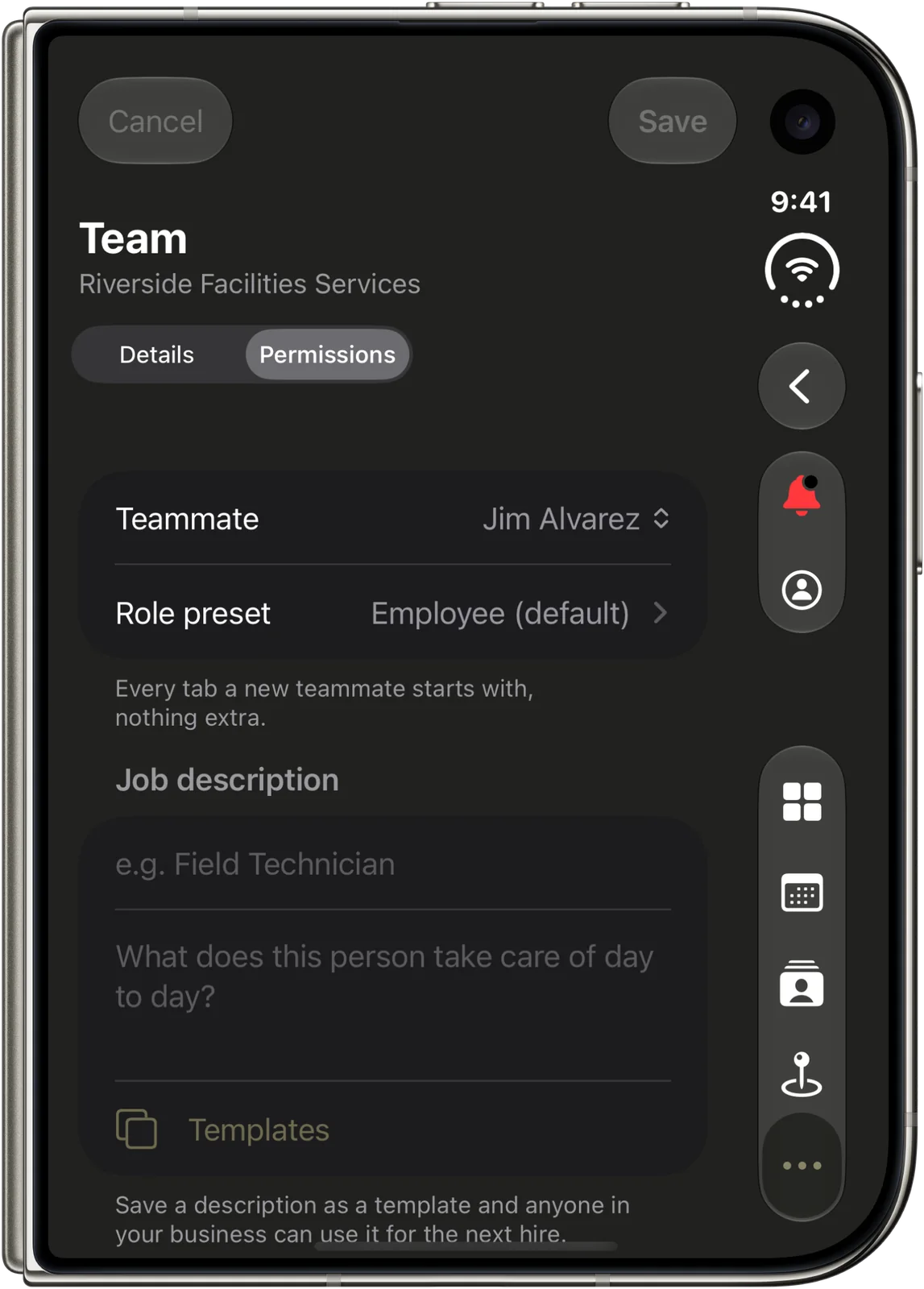
- In Team, under Permissions, choose what each person can open and do, tab by tab, or start from a preset like Field crew or Office manager and adjust from there.
- Give each teammate a job title and a description of the role, and save it as a template for the next hire.
Every new teammate starts with the everyday tabs open and nothing extra, and the owner can always open or close a door later.
Invoices, quotes and the numbers
- The editor stays open when you save and shows Saved until your next change, so a long invoice is never a race to the Done button.
- Change client moves an invoice or quote to another client while nothing is paid and no job is attached.
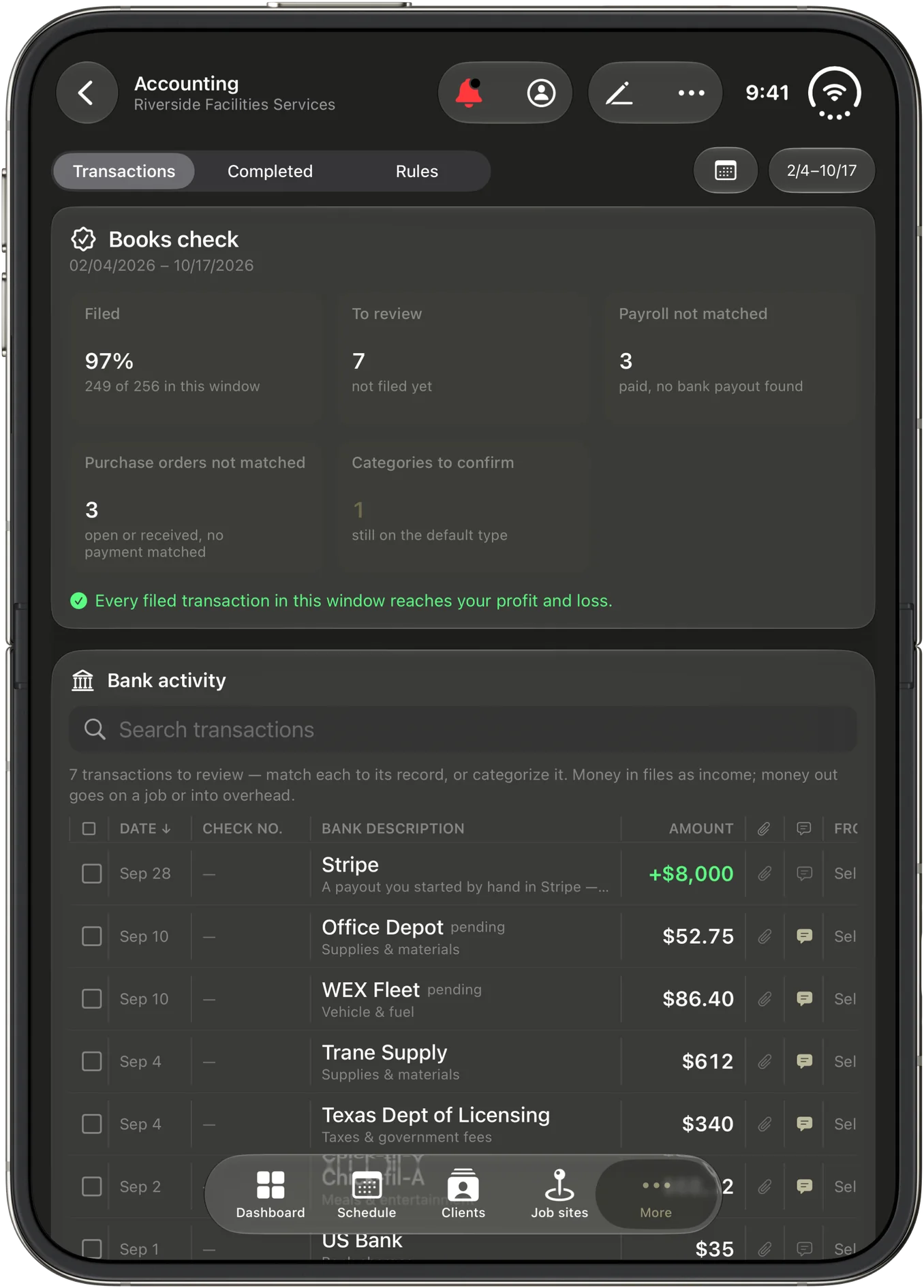
- New reports: Open purchase orders and Inventory valuation summary. For US businesses, a Payroll summary for 941 preparation and 1099 contractor payments.
- Capacity counts tasks. Each person's week fills with their shifts and their task hours, against your overtime threshold or 40 hours, so you see who is booked past a full week before you add to it. A task with no estimate counts as an eight-hour day until it has one.
- Bill rates on job sites. Give a job site a bill rate and the worked hours pulled onto its invoices are priced at it, while each worker's real cost comes along, so the margin stays true.
Also in 2.0
- Forgot password? on the sign-in screen emails you a link to set a new one. Open it on the same device you asked from.
- When something can't be saved, sent or loaded, CRMb now says what happened, why, and what to do.
- Type to search when picking a task's parent, labels, client, project or assignee.
- On iPhone and iPad, each section's actions sit in the toolbar at the top.
- Removing bank transactions shows the count first and keeps anything already filed or paid.
- Your whole crew can read and add notes on a shift, and client notes on a job or a shift are edited in place.
- Receive payment shows what is still owed and applies the rest in one tap.
- Owners choose who can log materials on a job and who can staff its crew.
- Quote, invoice and purchase order numbers never repeat.
- Overtime is counted by your business's workweek.
- On the Mac, each section keeps its filters and sort, and each window is named for its section.
- On iPhone and iPad, CRMb no longer freezes when you come back with the keyboard up, and saving or opening a shift no longer clears its client or job site.
One account, every device
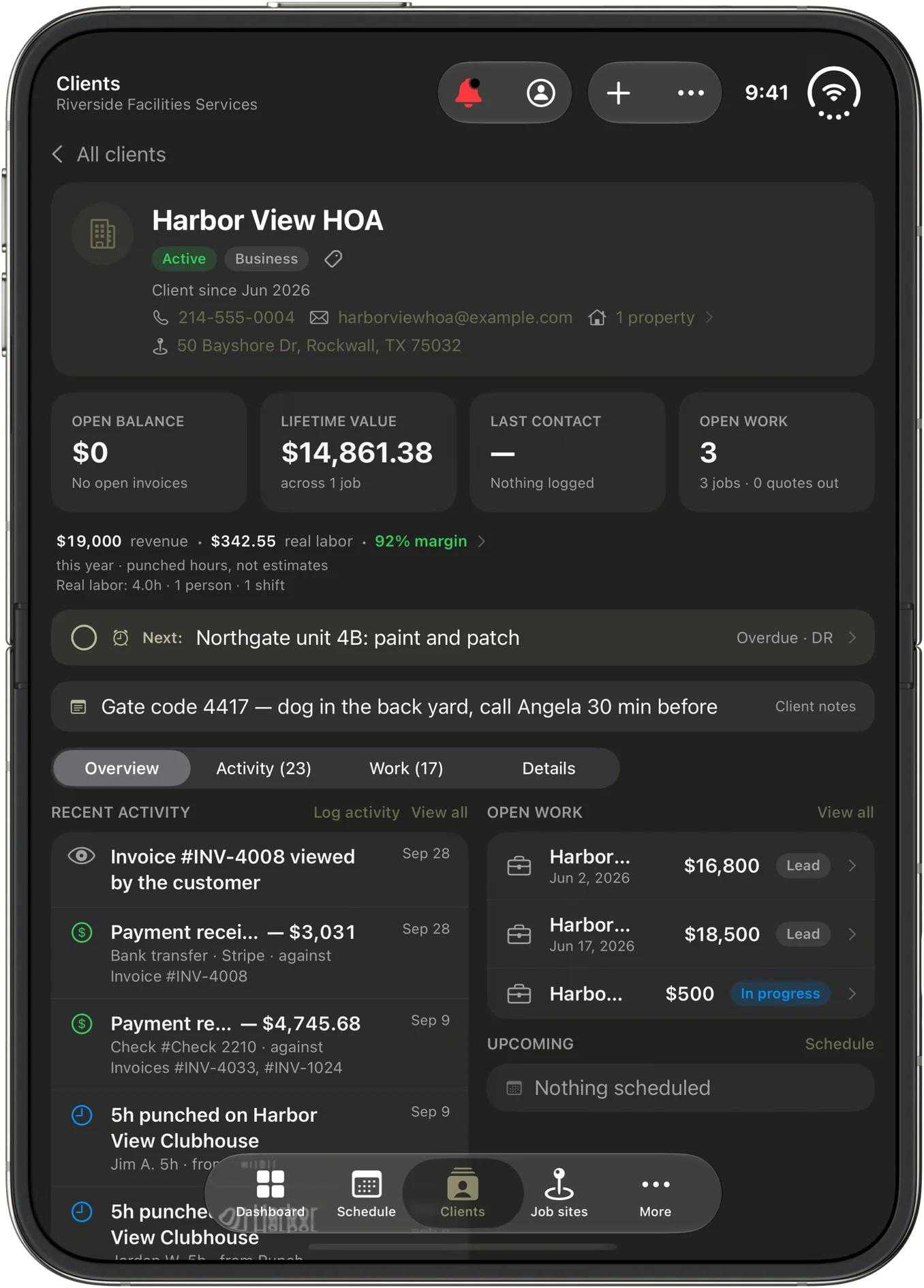
Nothing about your setup changes. Update the app and you land in the same business with the same clients, jobs and numbers you see on the web at crmb.io, on Android through Google Play, and in Punch, where your crew's punched hours become the real labor cost on every job.
Frequently asked questions
Do I need a new app for iPhone Duo?
No. CRMb 2.0 is the same app from the App Store. On iPhone Duo it fills the inner display when the phone is open and runs on the outer display when it is closed. On every other iPhone it is the CRMb you know.
What does online payment cost?
Stripe's own processing fees, and nothing from CRMb. You connect your own Stripe account, the money goes to you, and Stripe's fee is booked as an expense in your books on its own.
Can a client pay by bank transfer?
In the US, yes, once your Stripe account is set up for it. Everywhere else, by card.
Do repeating invoices send on their own?
Yes. Each new invoice in a series is emailed to your client with the PDF on its day. If the client has no email on file, it waits for you as a draft instead.
Does my crew need CRMb?
No. Your crew punches in on Punch, and their hours flow into CRMb's job costs, schedules and reports on their own. CRMb is for the people who run the work: planning, quoting, invoicing and keeping the books.
Get CRMb 2.0
- iPhone, iPad and Mac: Update or download CRMb on the App Store
- Web: crmb.io/app
- Android: CRMb on Google Play
Every new business starts with a 14-day free trial, and a paid CRMb plan takes 25 percent off a Punch plan billed on the web while both stay active.