Capacity
See who is slammed, and who has room.
For everyone on your team, CRMb lines up what they are scheduled for, what they have actually worked, and what is on their plate. Overload and idle time stop being a guess, and you can hand work to whoever has room in a click.
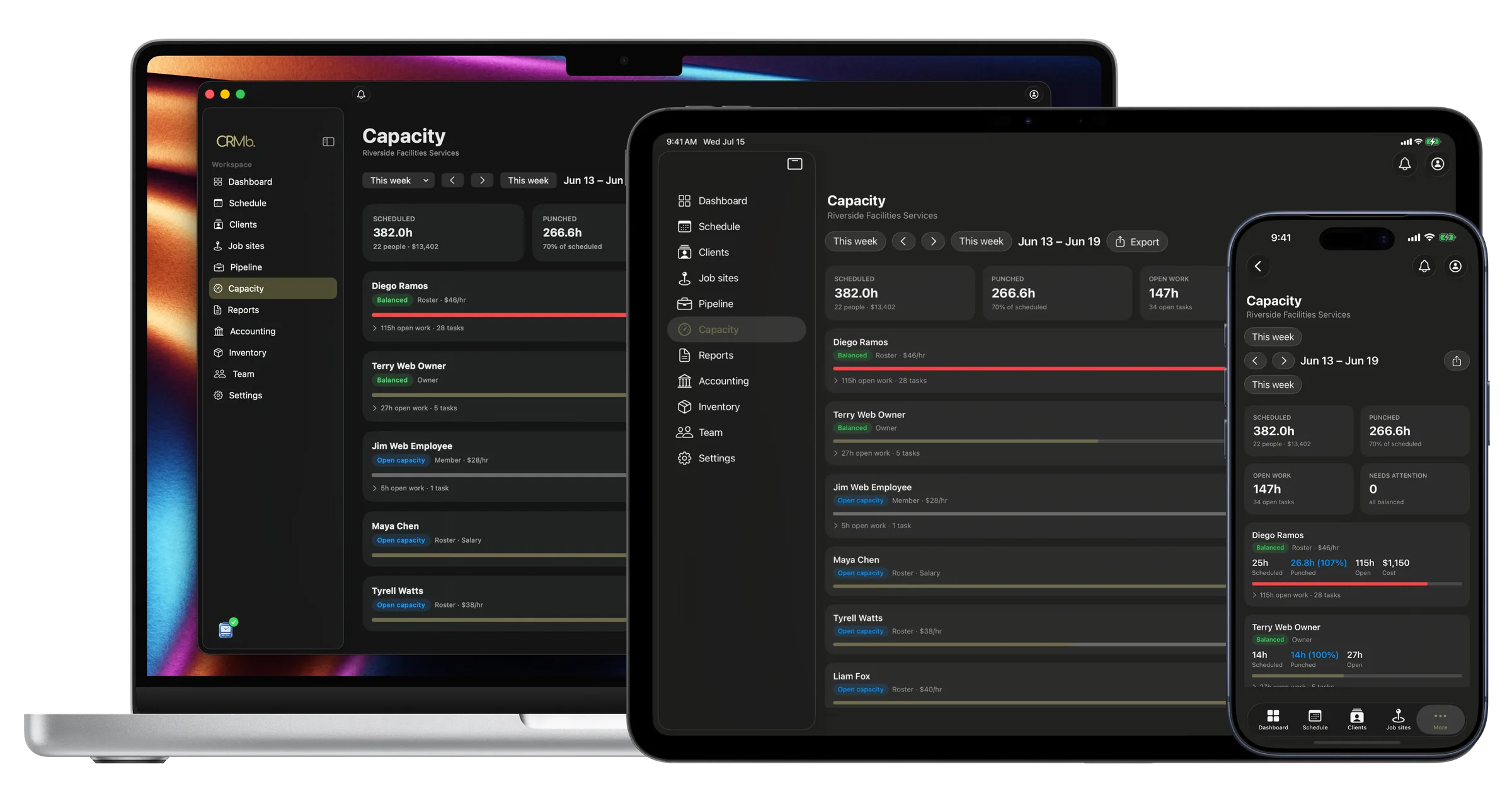
On iPad
The same picture, out in the field.
Capacity comes with you on iPad. The same scheduled, worked and assigned numbers for every person, on the tablet in the truck, so you can balance the week from wherever the day takes you.
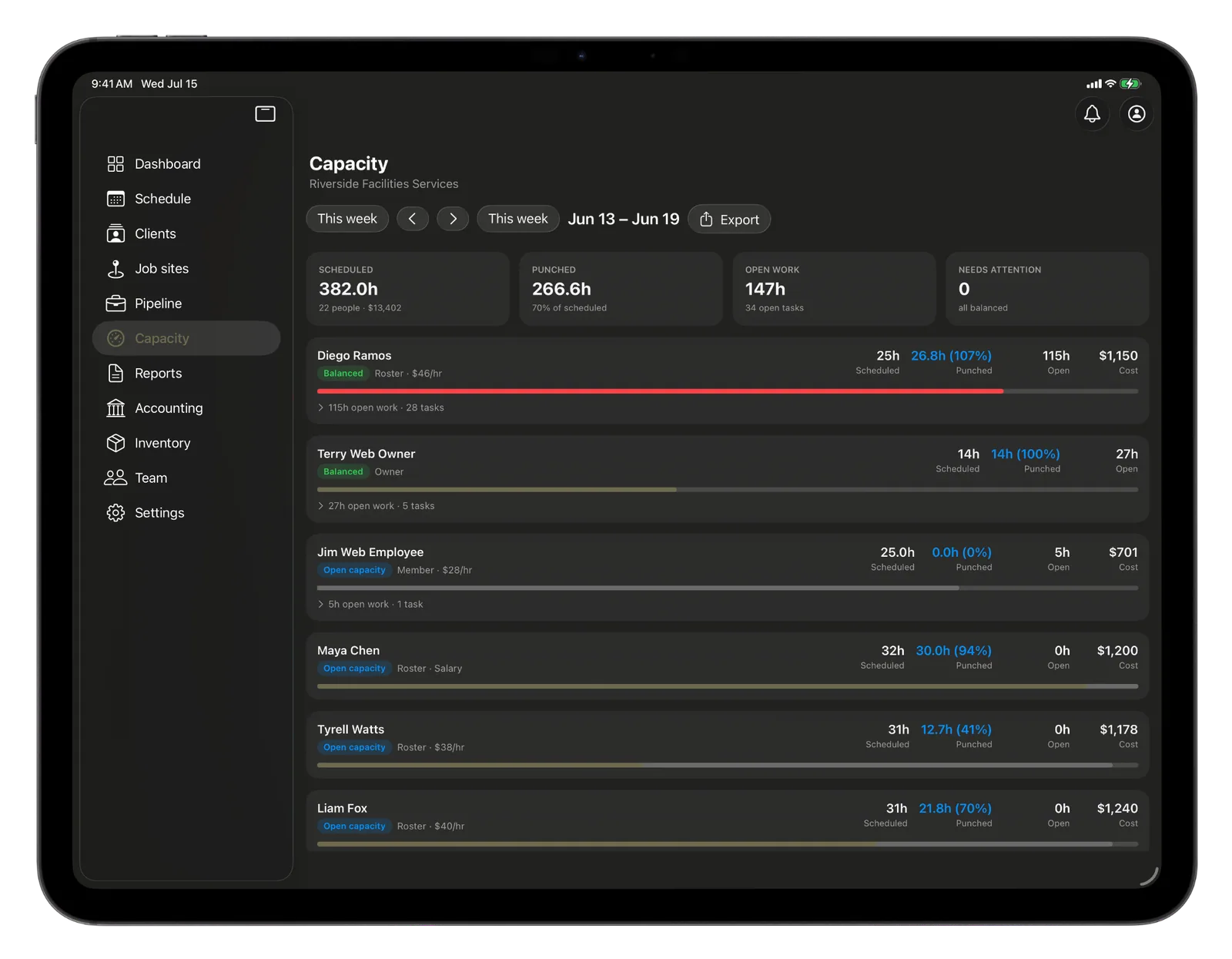
Balance the team on what is really happening.
Scheduled, worked, assigned
Three numbers for each person, side by side, so who is overloaded and who is idle is obvious.
By the week or the sprint
Look at it the way your team runs, by the calendar week or the sprint you are in.
Hand off in a click
Move open work to whoever has room without leaving the screen.
Spot the overload early
Anyone past their hours surfaces right away, before burnout or a missed date.
The Punch connection
Knowing, not guessing.
Most capacity tools compare one plan to another. CRMb compares the plan to what really happened, because the hours your crew worked are real, straight from Punch. You see the true gap for each person and even it out on facts, not a hunch.
- The hours worked are real, not estimated
- See the gap between planned and actual, per person
- Rebalance from the same screen you spot it on
Problems it puts to bed.
Your best people quietly burn out.
Anyone past their hours surfaces before it costs you the person.
Capacity plans never match what the team did.
The worked column is real hours, so the picture is grounded in fact.
Rebalancing means digging through spreadsheets.
Hand work to whoever has room without leaving the view.
See it on real punched hours.
14-day free trial. Your Punch data is already inside.