CRMb for irrigation contractors
Know what an install cost before you send the invoice.
Every van keeps its own count of heads, valves and controllers. The hours your crew works go onto the job at each person's rate. CRMb does not plan routes, so keep planning your day where you do now.
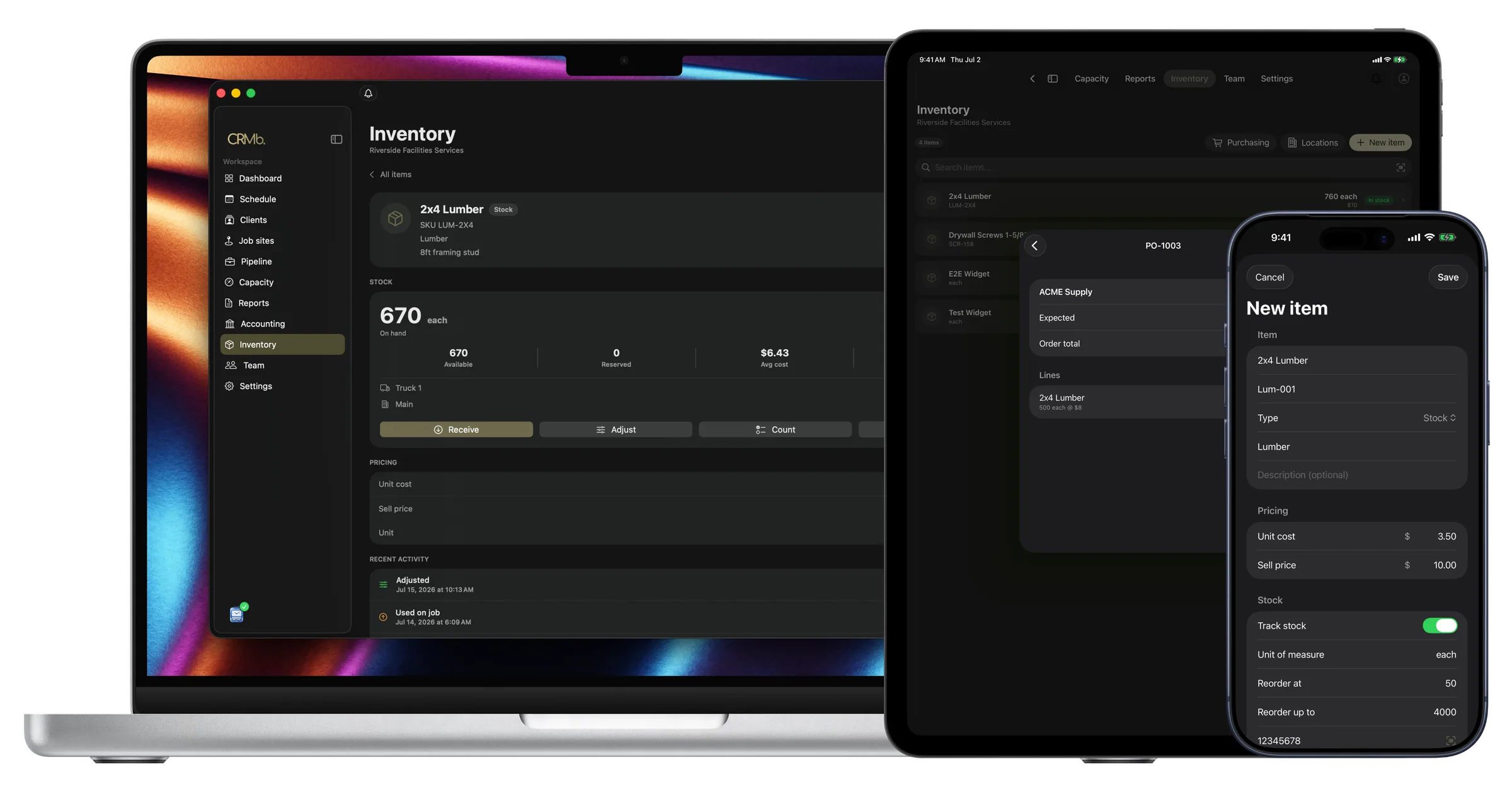
Every part and every hour is on the job before you invoice
Without CRMb, the parts pulled off a van and the hours the crew worked are added up once the work is over.
CRMb records them as the work happens. A part used on a job comes off that van's count, at the average of what you paid for it. The crew's hours become the job's labor cost, each person at their own rate.
Payroll is built in: mark a week paid in Punch and CRMb matches the payout from your bank feed to the cent. CRMb does not close your books. It reads your bank transactions, so a job's spending matches what you actually spent, and it never moves money. Your bookkeeper gets a clean export at month end.
Van stock
Heads, valves and controllers are counted on each van.
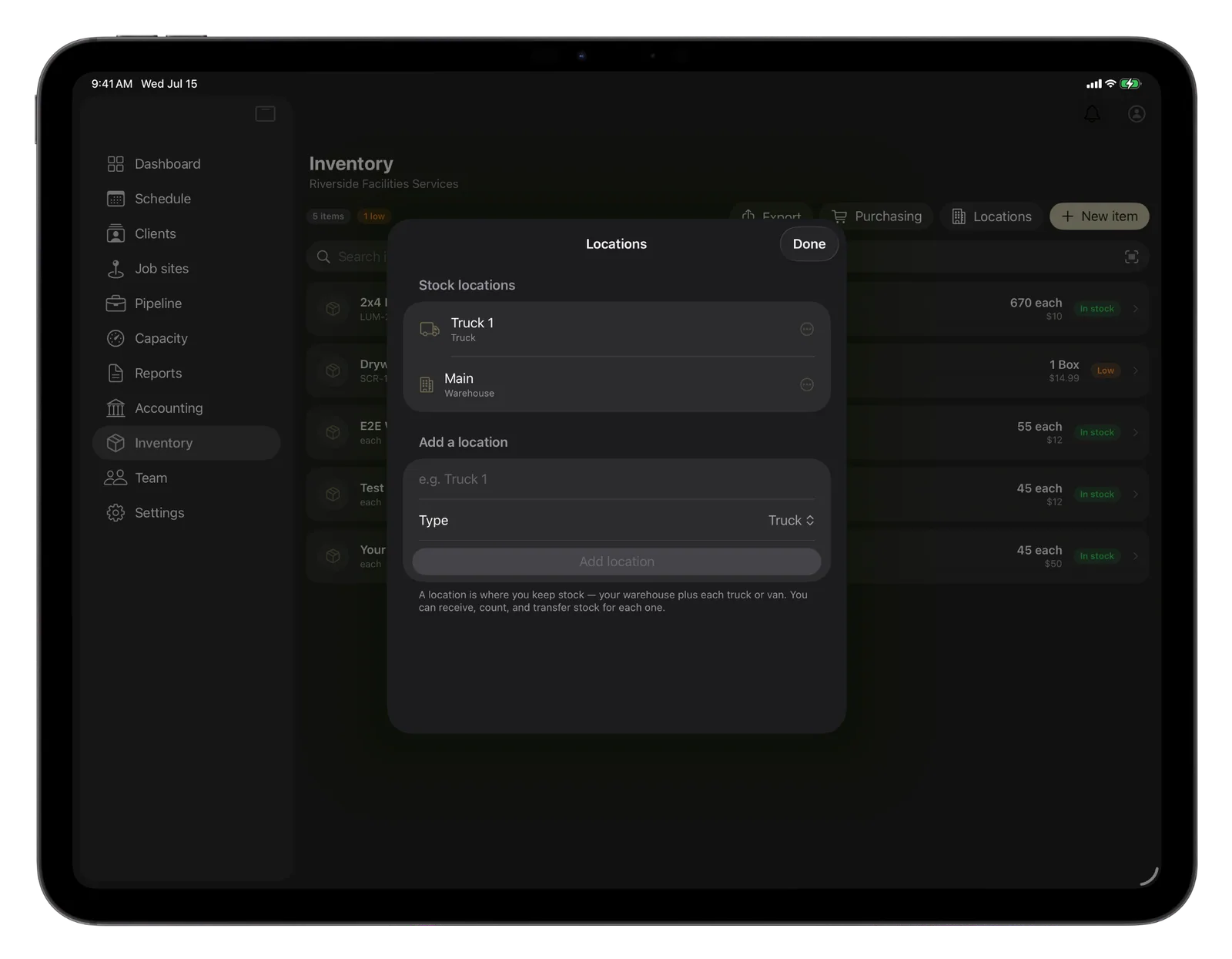
Send pipe from the shop out to a van and both counts change.
- The shop and every van hold their own count
- A reorder point warns you before the valves run out
- Parts leave the van at your average cost
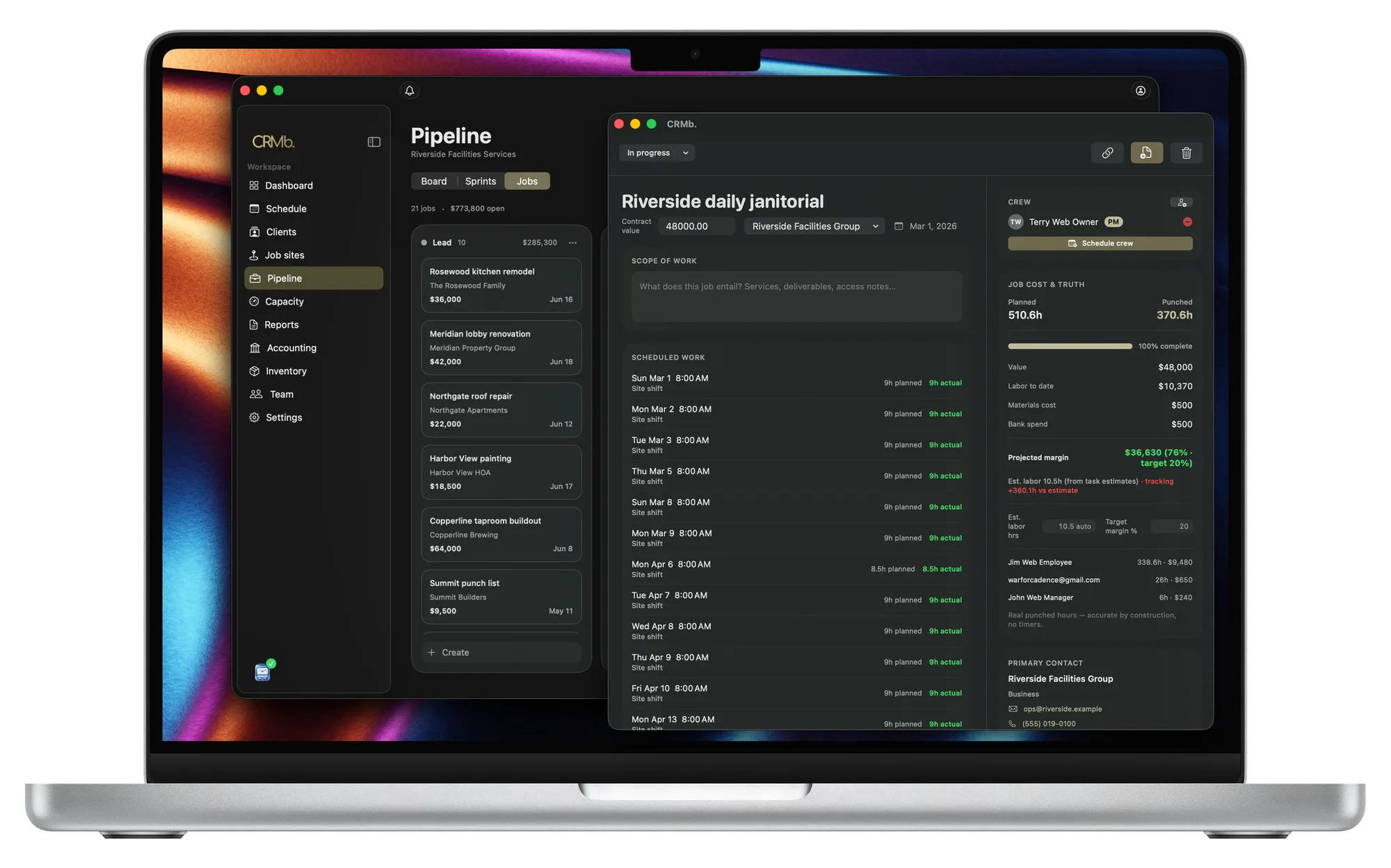
Job cost
Watch the labor cost while the install runs.
A job past the hours you planned shows it the same day.
- Planned hours sit next to the hours worked
- Labor cost is listed for each person at their rate
- Margin updates while the job is still open
The invoice
The quote your customer accepted becomes the invoice.
Your terms, the deposit and the pay link carry over.
- One tap puts the job's parts on the invoice at your selling price
- The crew's hours are already priced on the job
- A flat-rate visit still shows the part in the job's cost
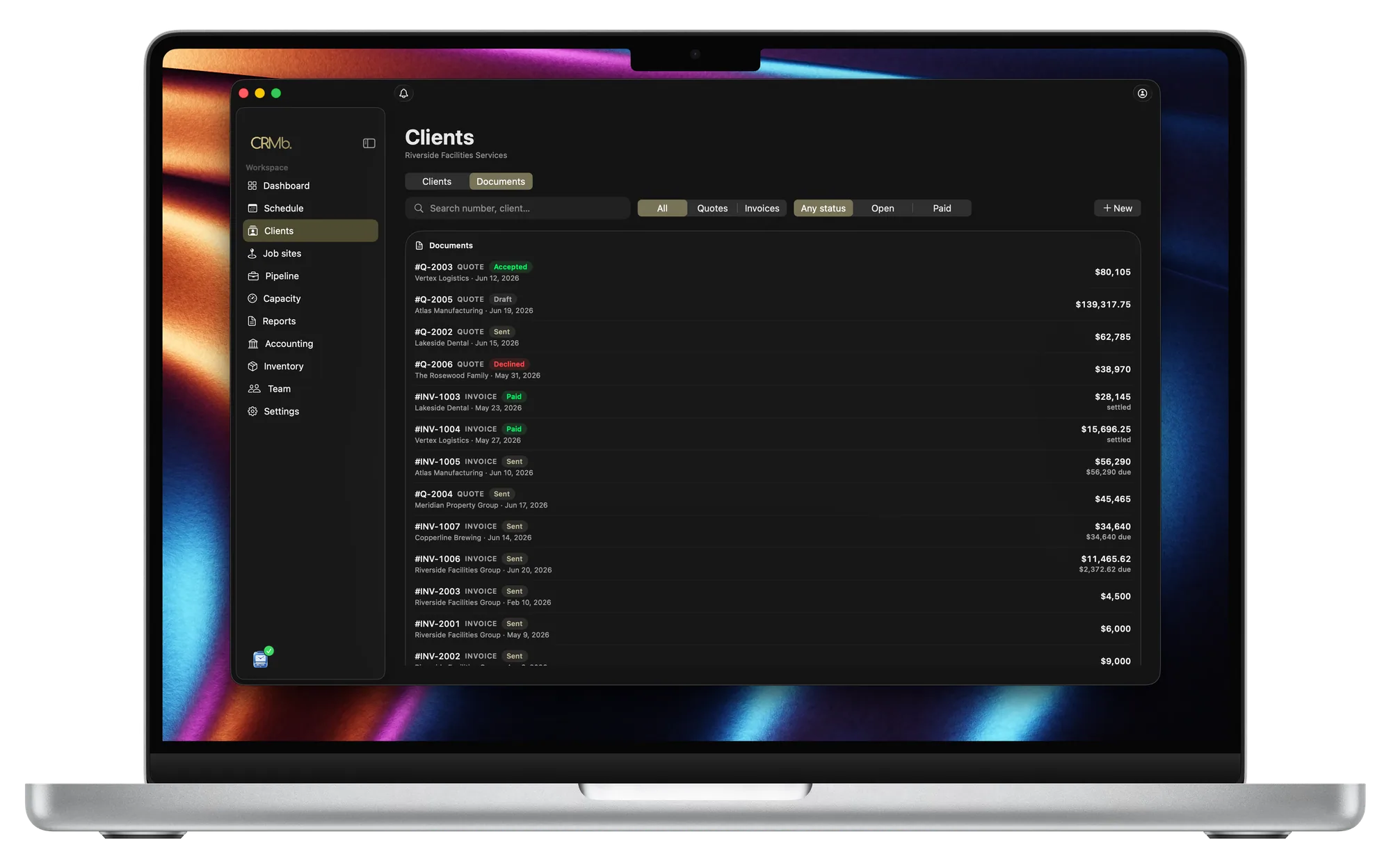
From the supplier order to the invoice you send.
Know what your parts are worth
A report values the heads, valves and pipe you are holding.
Order before a van runs out
Set a reorder point and CRMb tells you in time.
A job is charged your average cost
Two prices for the same controller average out.
Turn a quote into a purchase order
What the supplier sends is counted in the location you name.
Set up repeat visits once
Choose how often a visit comes back and when it ends.
Worked hours become the labor cost
Everyone on the job is priced at their own rate.
The Punch connection
Your crew punches in at the property.
Punch is the companion time app. A tech punches in at the job site, and lunch comes out of the total. The rest goes onto the job at that person's rate, and the cost updates while the shift is open.
- Nobody types the hours in later
- Both apps share the same job sites and crew
- Pay for a CRMb plan and your Punch plan on the web costs 25 percent less
Problems it puts to bed.
You only learn what an install made once the invoice is paid.
Cost and margin are ready on any day the job is open.
A tech stops for a valve the van should have carried.
CRMb warns you a valve is low while there is time to order.
Small fittings and nozzles never make it onto the invoice.
The tech records the part on the job, and one tap puts it on the invoice.
Controllers cost one price in spring and another in fall.
Every order you record goes into the average the job is charged.
Questions
The ones you are actually asking.
- What happens to a head after my tech installs it?
- Your tech records it on the job. That van's count drops and the job takes your average cost. One tap adds it to the invoice at your selling price.
- Does CRMb plan routes or keep a history of each system?
- No. CRMb has no dispatch board, no route planning, and no service history for a customer's system. Keep booking calls where you do now (HindSite, Aspire, Jobber). Zone layout and controller programming stay in your own tools.
- Can I schedule spring start-ups and fall blowouts?
- Yes. Say how often the visit repeats and when it ends, and CRMb books the whole series. Your customer gets one confirmation email about the first visit. CRMb does not bill these visits.
- How much is CRMb?
- $39 a month for your first CRMb user and $29 for each user after that. Inventory and Purchasing add $20 a month. The first 14 days are free and no card is needed. See pricing.
- Do I have to put my crew on Punch?
- No. A manager can enter the hours a person worked, or mark the shift a no-show. Those hours still go onto the job at that person's rate.
Stays where it is today: a dispatch board and route planning, system design and zone layout software, controller programming, a service history for each system, year-end books.
See it on real punched hours.
14-day free trial. Your Punch data is already inside.