CRMb for countertop fabricators
Know what a job cost by the day it is installed.
One job holds the template, the fabrication and the install. The shop, the yard and each truck keep their own count of sinks and faucets. Slab layout stays in your templating software.
One job from the template to the install
A countertop job is templated one week, fabricated the next and installed after that. The deposit, the material and the hours end up in three places.
CRMb keeps one job open across all three visits. A sink used on the job comes off that location's count, at the average of what you paid. Your crew's hours become the labor cost at each person's rate.
Payroll is built in: mark a week paid in Punch and CRMb matches the payout from your bank feed to the cent. Your year-end books stay where they are. CRMb reads your bank transactions, so job spending reflects what the shop actually spent. It never moves money, and your bookkeeper gets a clean export at month end.
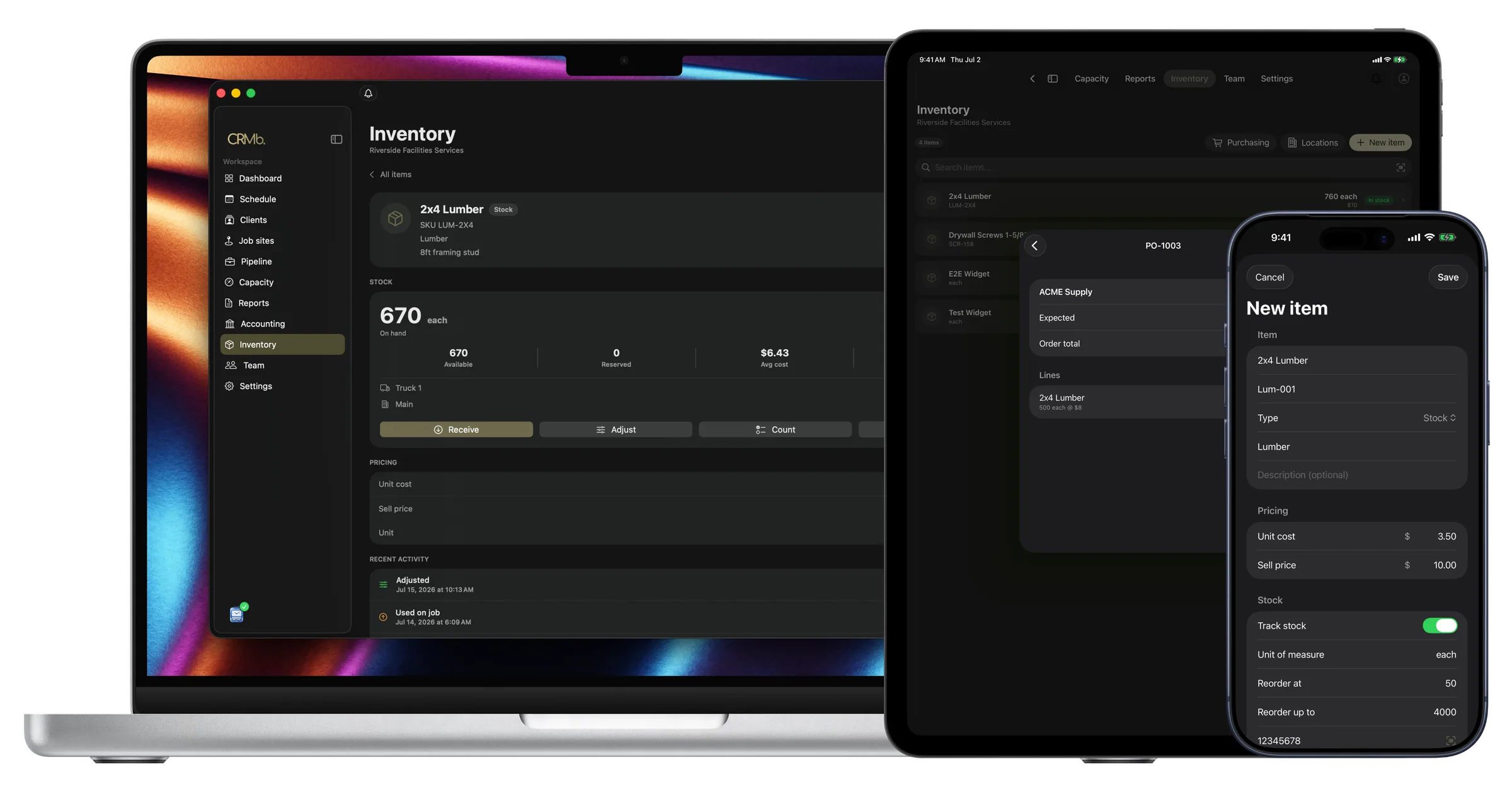
Shop and truck stock
Sinks and faucets are counted where they sit.
Send a box out to an install truck and both counts change.
- A reorder point warns you before the sinks run out
- An item used on a job is charged at your average cost
- The yard counts the same way as the shop
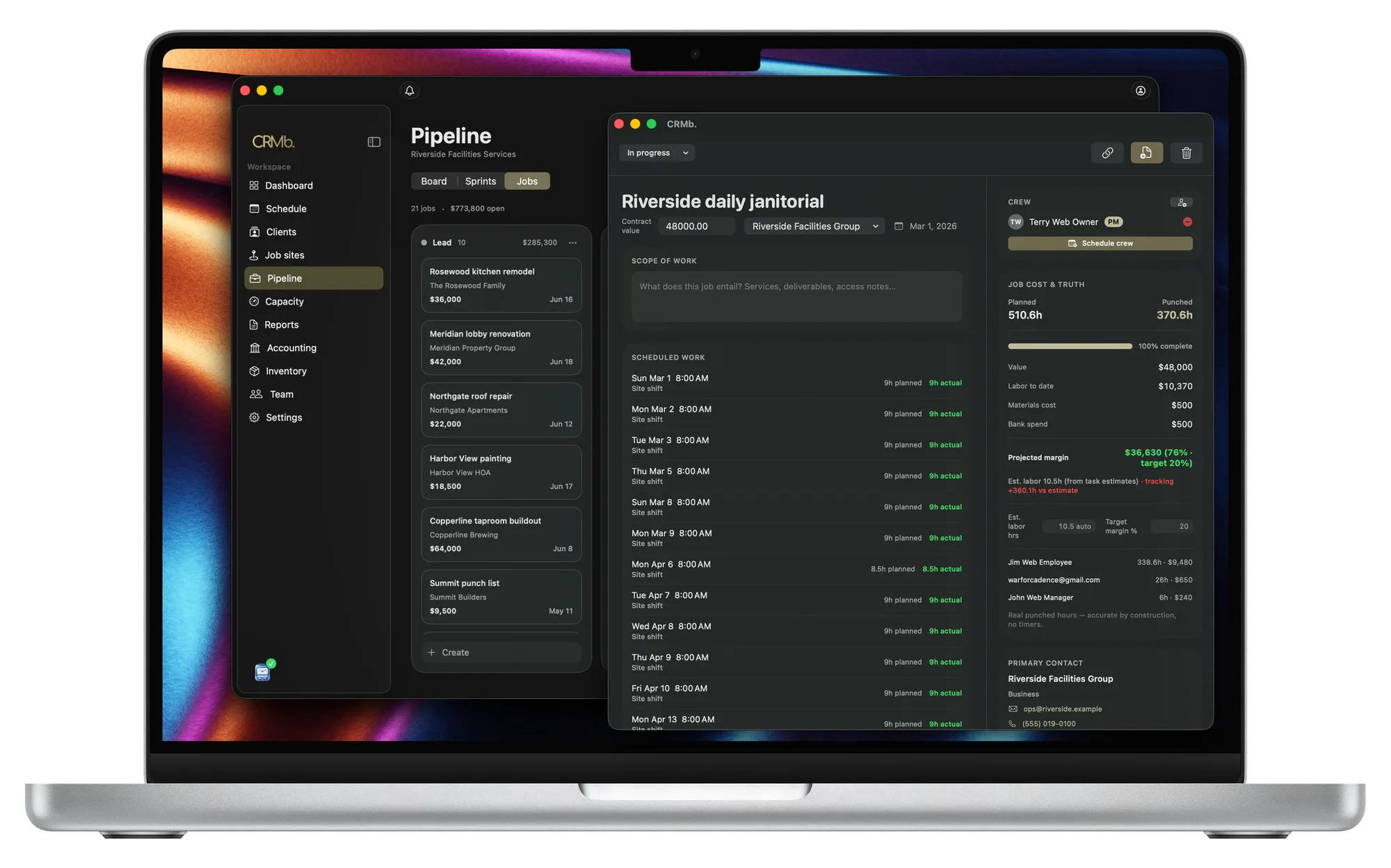
One open job
The job stays open from template to install.
Visits weeks apart add up to one cost and one margin.
- The hours you planned show next to the hours worked
- Labor cost and margin update while the job is open
- Each person's hours are costed at that person's rate
Deposit to invoice
An accepted quote carries the deposit onto the invoice.
Your terms and the pay link come across with it.
- The deposit from the quote is already on the invoice
- One tap adds the job's items at your selling price
- A flat-rate price still shows the item in the job's cost
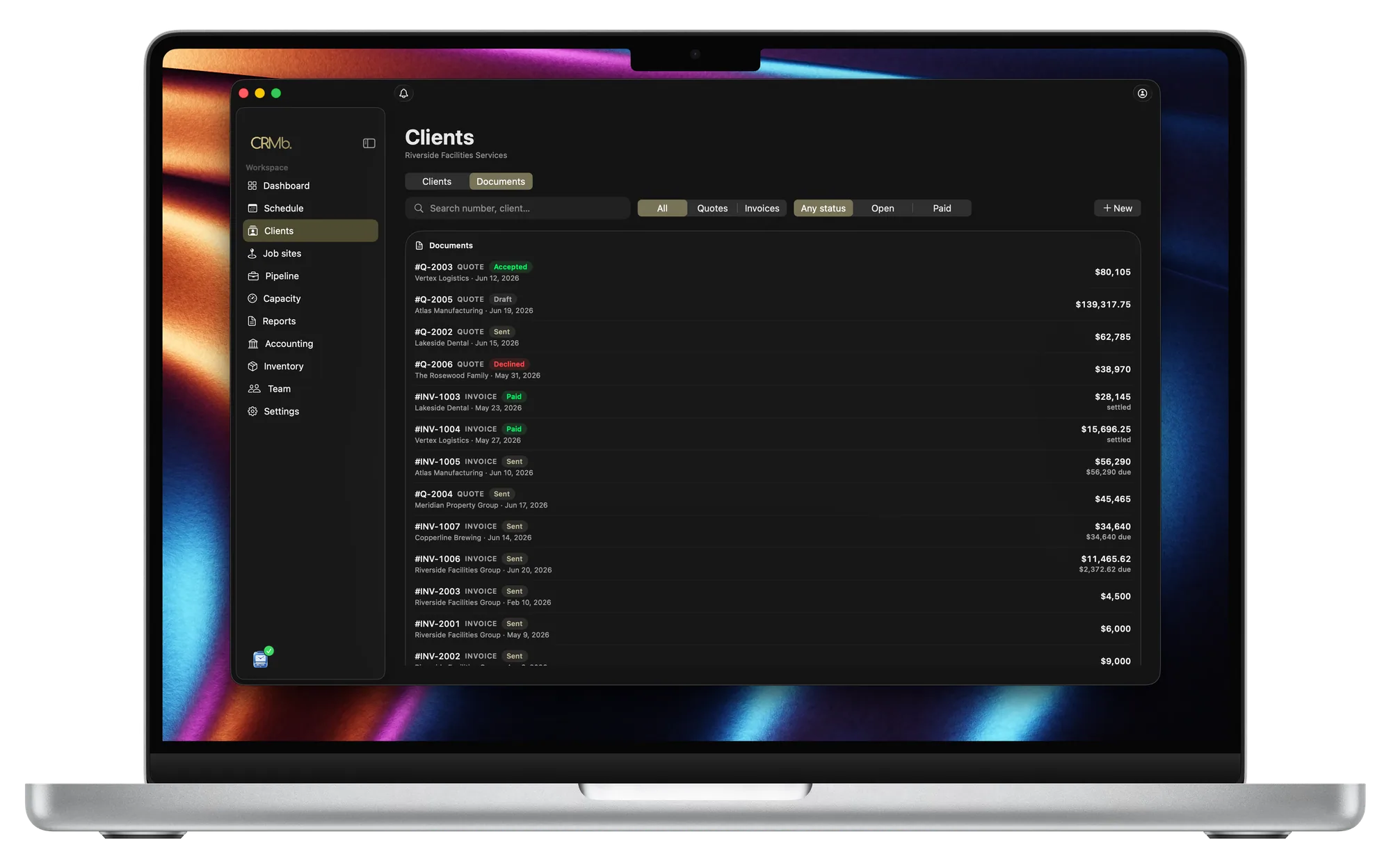
From the template visit to the paid invoice.
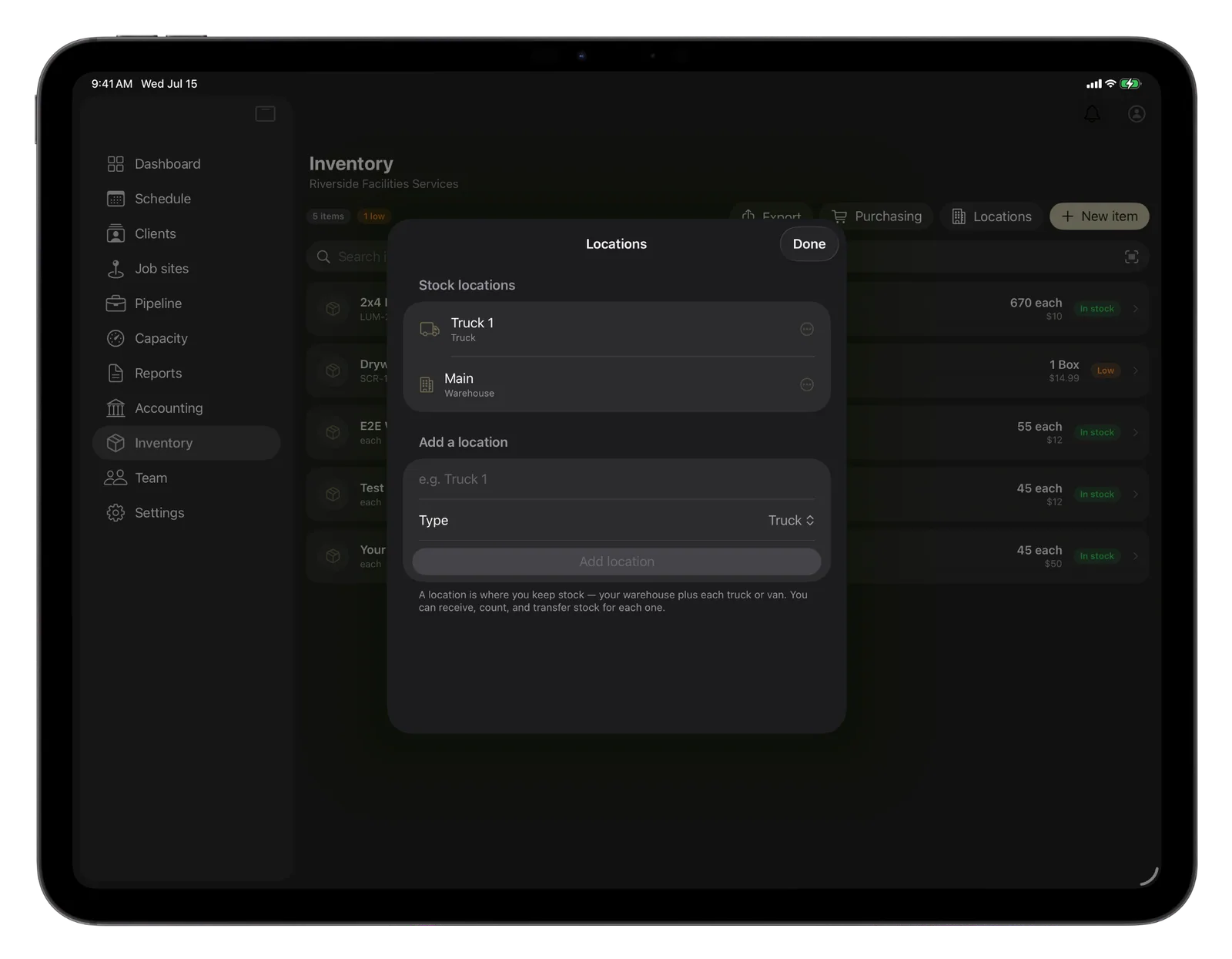
Every location keeps its own count
The shop, the yard and each truck count separately.
Order sinks before you are out of them
CRMb warns you at the count you set.
A job is charged the average, not the last price
Two prices for the same sink average out.
A quote can become a purchase order
What the supplier ships is counted where you say.
Hours worked become the labor cost
Every person is priced at their own rate.
Know the margin before the invoice goes out
Every hour and item on the job moves the margin.
The Punch connection
The hours your crew punches become the job's labor cost.
Punch is the time app that goes with CRMb. Your crew punches in at the job site and lunch comes out. The hours go onto the job at each person's rate, and the cost moves while the shift is open.
- An install day reaches the job without anyone typing hours
- Job sites and people are set up once for both apps
- Pay for CRMb and your web Punch plan costs 25 percent less
Problems it puts to bed.
You learn a job lost money weeks after the install.
Cost and margin are there any day the job is open.
The truck arrives without the sink the job needs.
CRMb warns you the sinks are low in time to order more.
Faucets and adhesive get left off the invoice.
Whoever used it logs it on the job, and one tap adds it to the invoice.
The same sink cost one price in spring and another now.
The job is charged the average of the prices you paid.
Questions
The ones you are actually asking.
- How does a sink bought for a job reach the invoice?
- You record it on the job, which drops the count at that location and charges the job your average cost. One tap puts it on the invoice at your selling price.
- Does CRMb lay out slabs or track each one?
- No. There is no slab layout, no digital templating, and no CNC or saw programming, and CRMb does not track a single slab or remnant. Keep that work in your templating software (Moraware, Slabsmith). CRMb has no dispatch board and no route planning.
- Can I book a visit that repeats?
- Yes. Choose how often the visit repeats and the date it ends, and CRMb creates the whole series. Your customer gets one confirmation email about the first visit. CRMb does not invoice these visits.
- What does CRMb cost?
- $39 a month for your first CRMb user and $29 for each one after. Inventory and Purchasing add $20 a month. Your first 14 days are free and need no card. See pricing.
- Do my installers have to use Punch?
- No. A manager types in the hours someone worked, or marks the shift a no-show. Either way those hours are costed to the job at that person's rate.
Stays where it is today: slab layout and digital templating, CNC and saw programming, the history of an individual slab or remnant, a dispatch board and route planning, your accountant's year-end books.
See it on real punched hours.
14-day free trial. Your Punch data is already inside.