Purchasing
Order it once. Receive it right.
Build a purchase order from your supplier list, send it, and receive it as the boxes arrive. Everything you receive lands in your inventory at cost, so your shelves and your numbers stay true without a second entry.
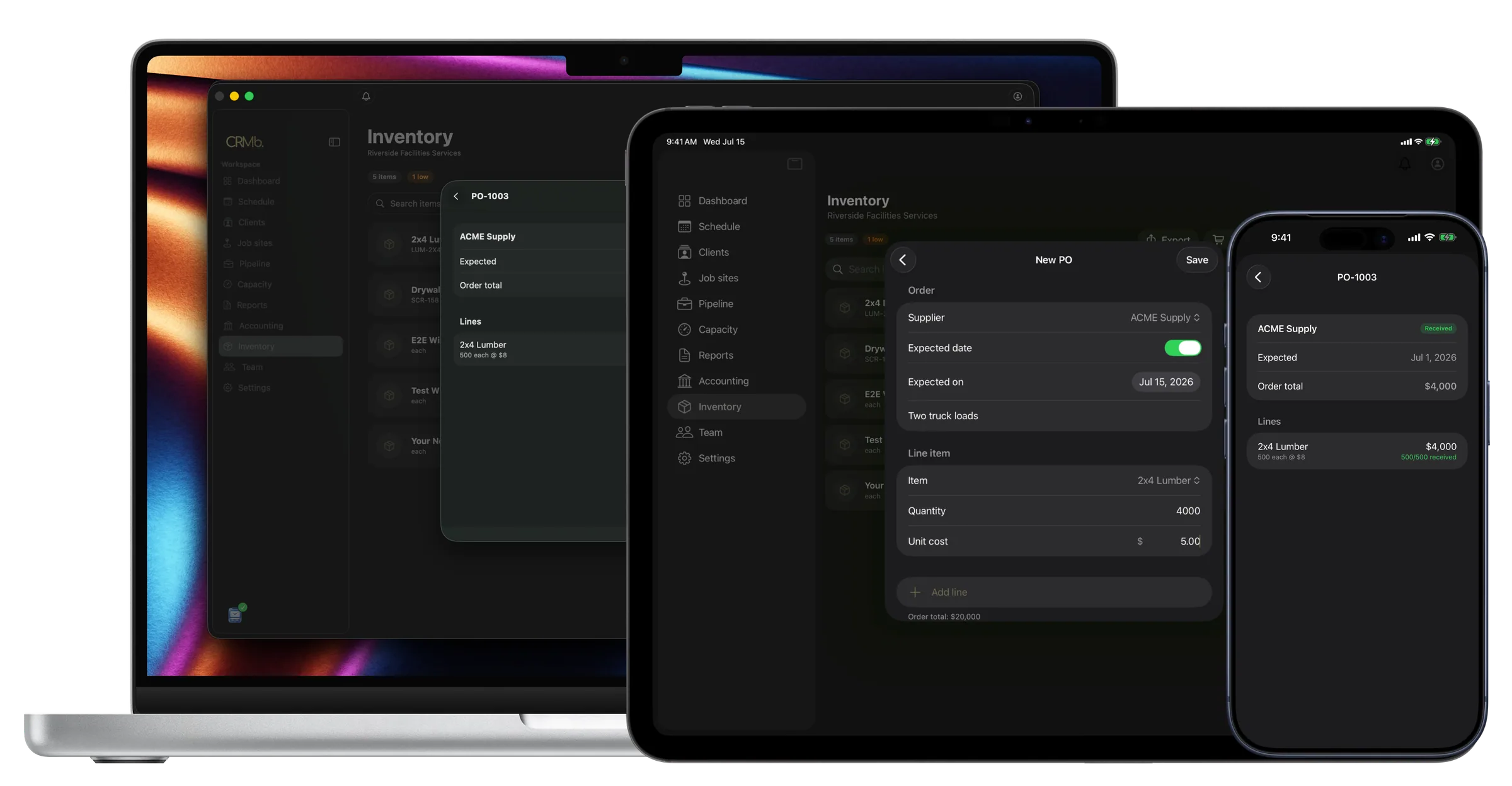
Build a PO
A purchase order, line by line.
Pick a supplier, add what you need, and set the quantity and unit cost on each line. Pull items straight from your catalog and their cost fills in for you, or type a free line for anything one-off. The order total adds up as you go, with a PO number and an expected date on top.
- Pull from your catalog or type a free line
- Cost fills in the moment you pick an item
- The order total adds up as you build
- Set a PO number and an expected date
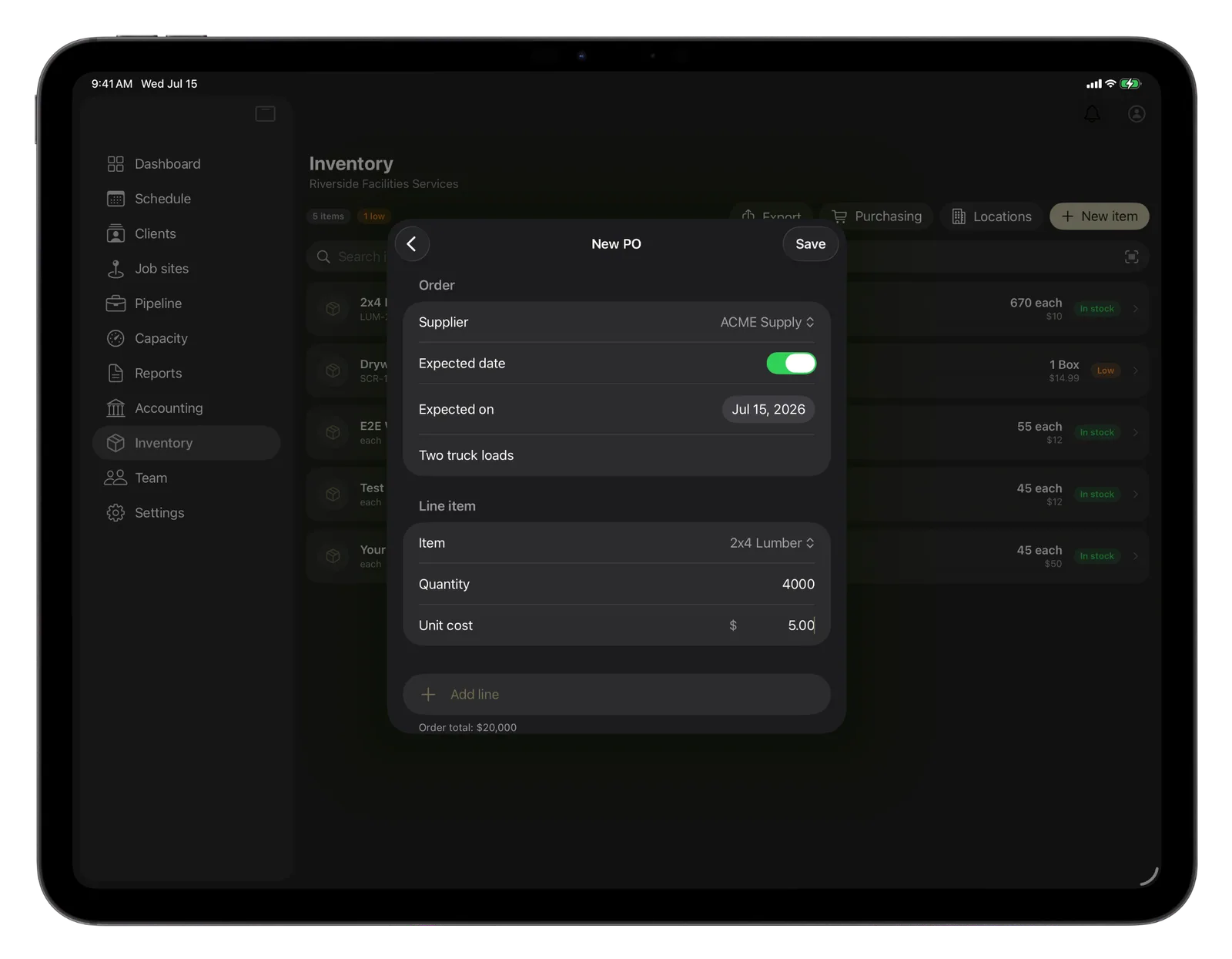
Receive and track
Receive it, and the order tracks itself.
When the delivery shows up, receive the lines you got and the quantities land in your location at cost, right then. You never set the status by hand: receive part of an order and it reads partial, receive the rest and it reads received, so nothing gets forgotten in a drawer.
- Received stock lands in your location at cost
- Partial and received set themselves
- Open orders and value on the way, up front
Everything you need to buy and receive.
Real purchase orders
Build a PO with a supplier, a number, an expected date and as many lines as you need, each with its own quantity and cost.
Straight from your catalog
Add an inventory item to a line and its cost fills in for you, so you order the right parts at the price you already know.
Receive into stock
Mark the lines that arrived and the quantities land in your location on the spot, priced at exactly what you paid.
Status that keeps up
Partial and received set themselves as deliveries come in, so you always know what is done and what is still owed.
Your supplier list
Keep every vendor with their contact details and notes, and deactivate the ones you no longer use without losing a thing.
Cost, kept honest
Received stock carries the cost you paid, so the value of what is on your shelves reflects real money, not a guess.
The Punch connection
Real material cost, next to real hours.
Purchasing gets the cost of what you buy onto the right shelf. When your crew punches in through Punch, the cost of their hours lands on the job too. Put the parts you pulled next to the hours you worked and a job shows its true cost, so the profit you see is the profit you actually made.
- Received stock carries the price you paid
- Pull those parts onto a job at cost
- Real material and real labor, on one job
Problems it puts to bed.
You reorder the same parts and forget what they cost.
Add an item to a line and its cost fills in for you, so every order is priced right.
Stock arrives and the count on screen never catches up.
Receive the lines and the quantities land in your location the moment they show up.
A delivery comes in half now, half later.
Receive what came, and the order reads partial until the rest arrives on its own.
See it on real punched hours.
14-day free trial. Your Punch data is already inside.