Connected accounting
Your bank. Your books. One place.
Connect your bank and every transaction flows into CRMb — up to two years of history. Money in matches the invoices it paid, spending files onto the right job or category, payroll reconciles itself against real payouts, and your profit and loss stays current without a spreadsheet. Read-only, always: CRMb keeps your books, it never moves your money.
Bank feed
Every dollar, where it belongs.
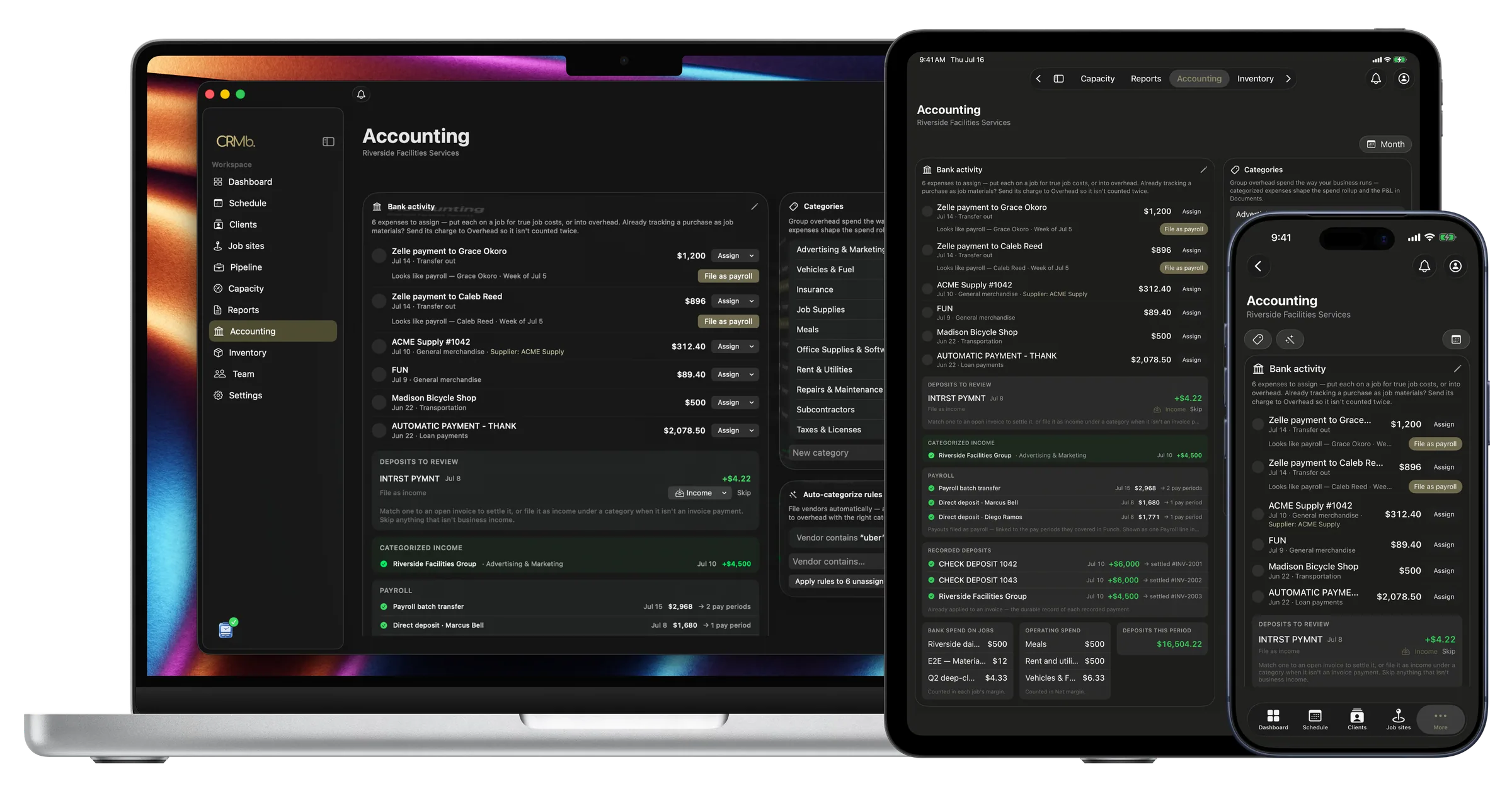
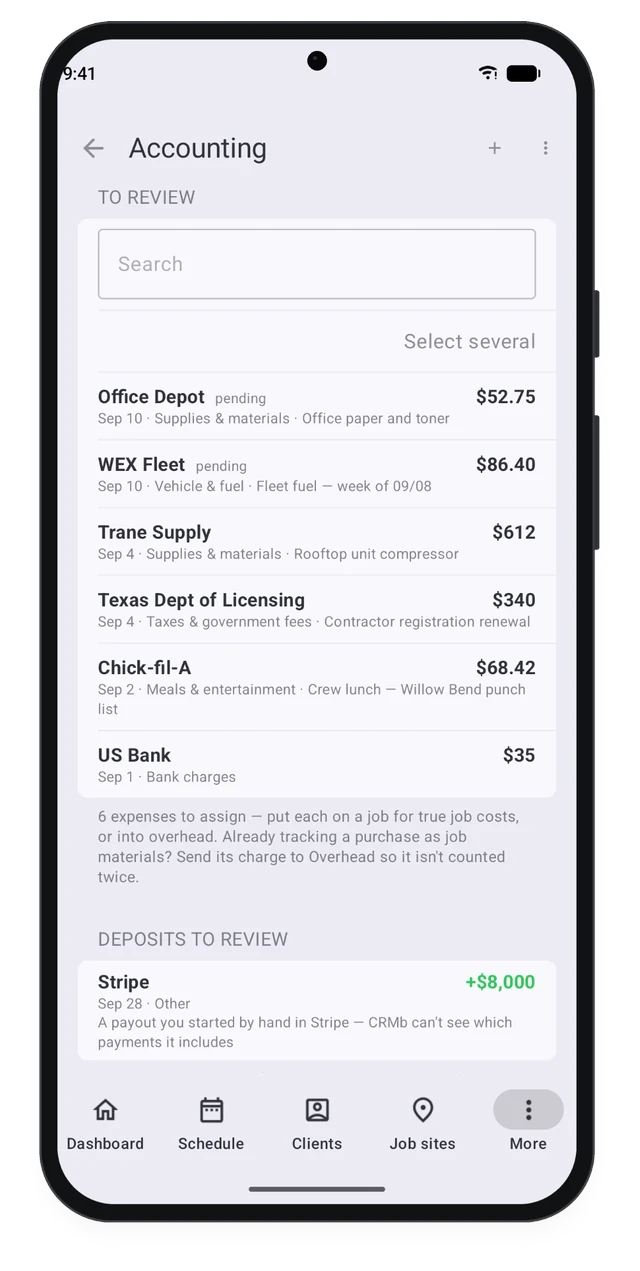
The moment money moves it shows up to review. Put each expense on a job so it lands in that job's real cost, or into overhead by category. A deposit that matches an open invoice is one tap from settling it, and money that never went through an invoice files as income under a category, so nothing goes uncounted.
- Assign an expense to a job or into overhead
- Deposits meet the invoice they paid, in a tap
- Uninvoiced money files as income by category
Payroll, reconciled
Payday, proven at the bank.
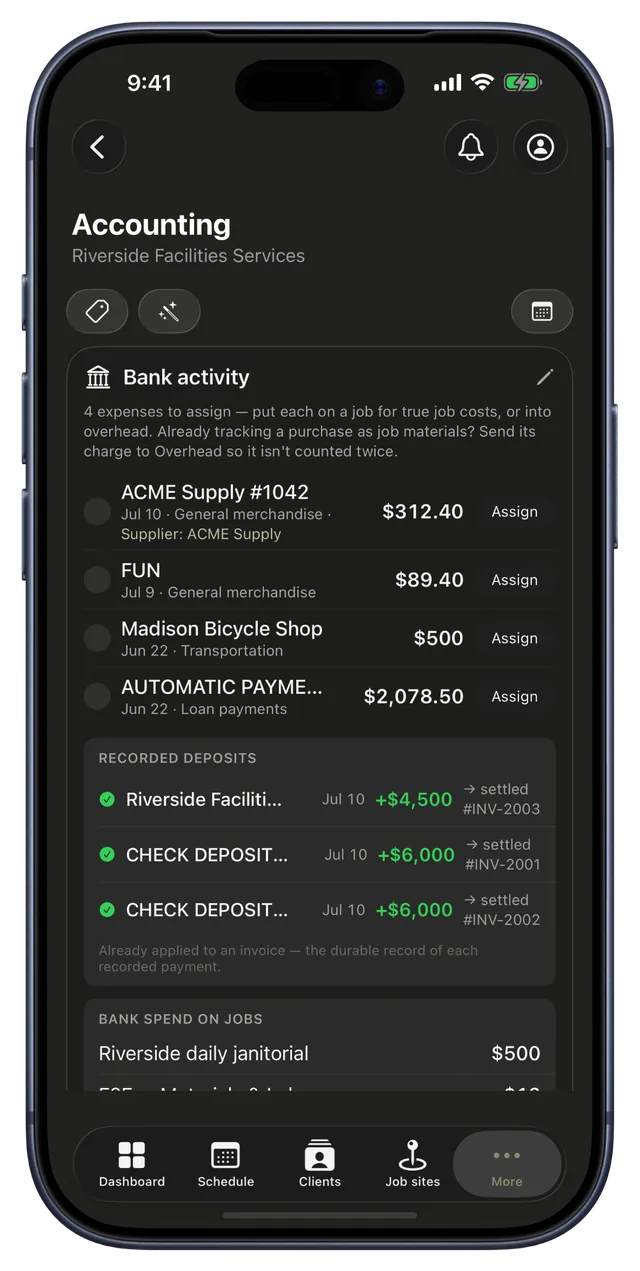
Mark a week paid in Punch and CRMb finds the payout that covered it — Zelle, check, direct deposit or a whole-crew batch — matched to the cent, never fuzzy. Confirm it once and a payroll rule files every future payout on its own. Anything you marked paid that never hit the bank surfaces to reconcile, so a bounced check or a forgotten transfer can't hide.
- Payouts match pay periods to the cent
- Confirm once — future paydays file themselves
- Paid-but-never-landed weeks surface to reconcile
Rules that file for you
Categorize a vendor once.
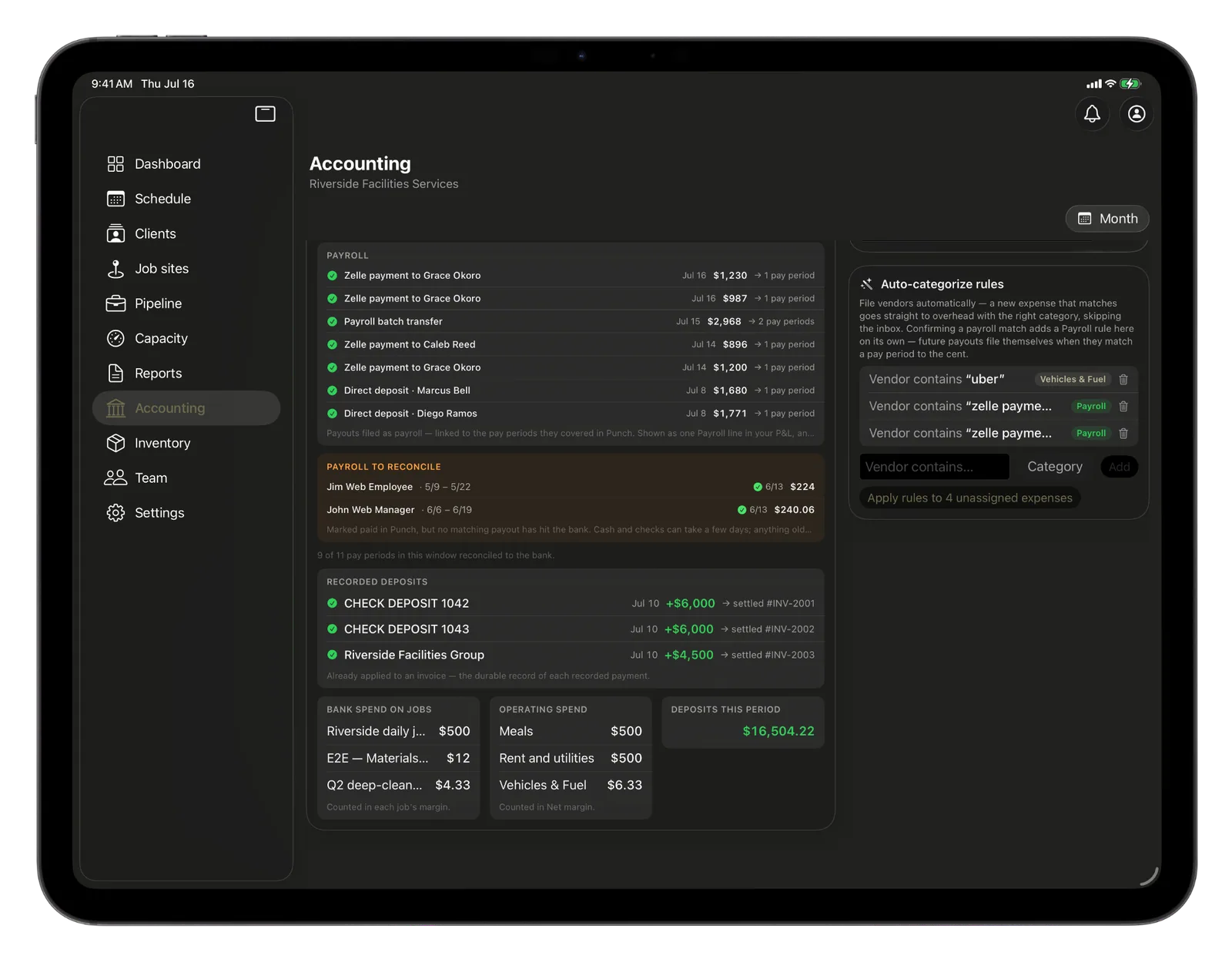
Build the categories your business actually runs on, then set a rule: any charge from that vendor files itself to the right category and skips the inbox. Run the rules across your backlog and a month of transactions sorts in seconds.
- Your own categories, grouped your way
- A vendor rule files every future charge on its own
- Apply the rules to the whole backlog at once
Profit and loss
Know exactly what you kept.
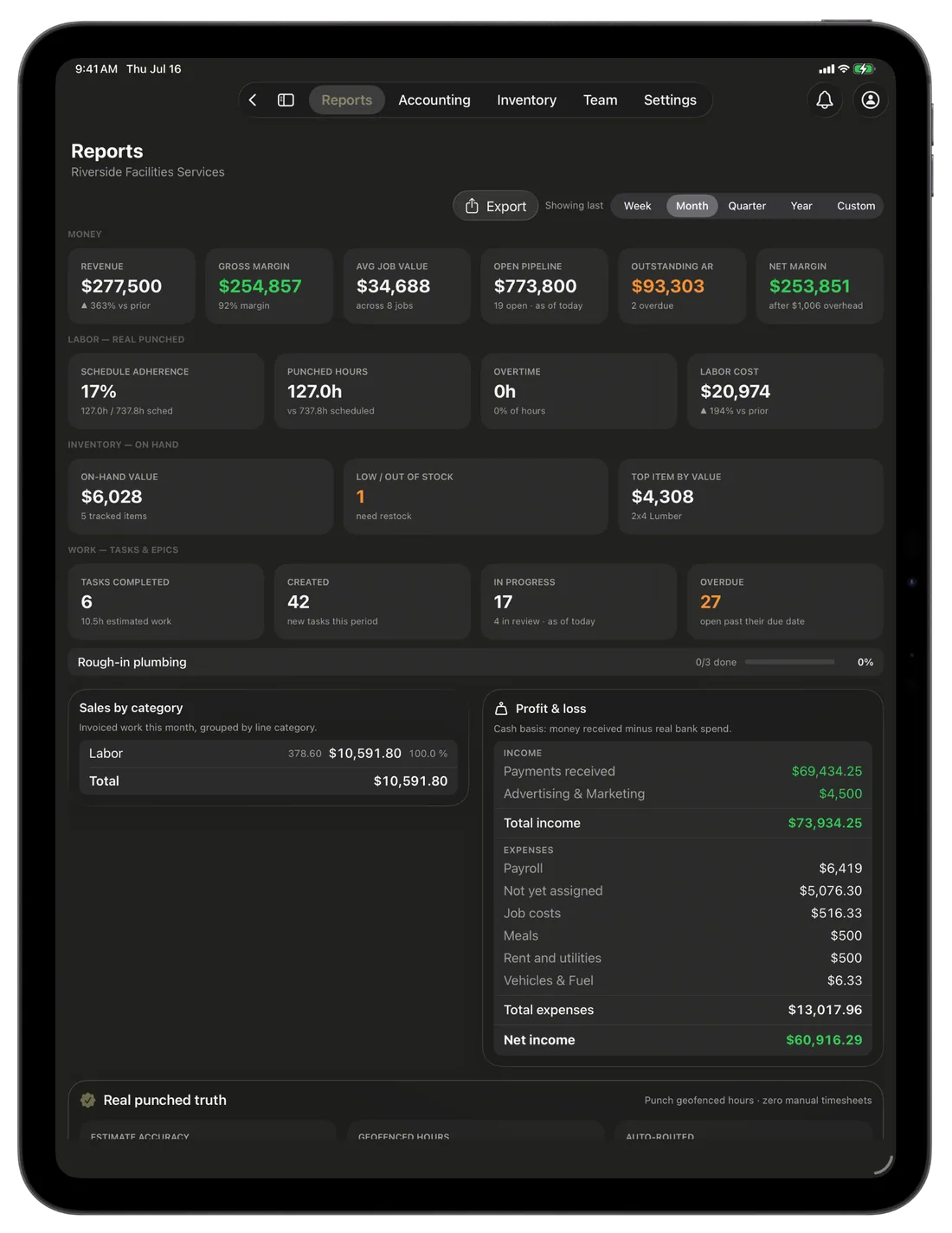
A cash-basis profit and loss, always current: money received minus your real bank spend, grouped by category, with payroll on its own line and net income at the bottom. Sales by category sits beside it. Hand it to the bank or the bookkeeper as a report, a spreadsheet, or a slide deck.
- Income and spend, grouped by category
- Payroll is its own P&L line, never job-costed twice
- Export to a report, spreadsheet or deck
Now on Android
The books, in your pocket.
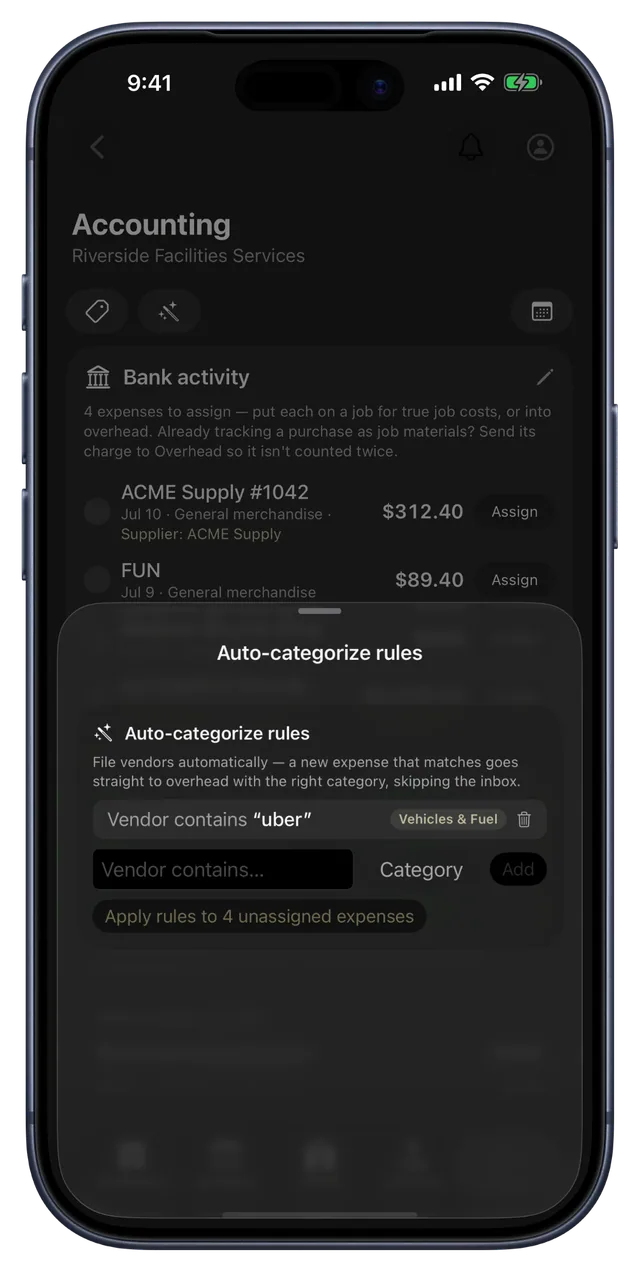
On Android, the bank activity waiting for you is one tap away. Put an expense on a job or into overhead, and check the deposits that came in, from wherever you are. It is the same books you keep on the web, your iPhone, iPad and Mac.
Everything you need to keep the books.
Connect your bank
Link an account and your transactions flow in on their own. Read-only, and only owners and managers ever see it. CRMb keeps the books, it never moves your money.
Put it on a job
Assign an expense to a job and it joins that job's real cost, right next to the hours your crew punched, so the margin is the truth.
Categories your way
Build the categories your business runs on and group every dollar of overhead under them, the way your books already work.
Rules that file for you
Set a rule once and matching charges categorize themselves, skipping the inbox, so the books stay done.
Deposits meet invoices
A deposit that matches an open invoice settles it in a tap, and money with no invoice files as income under a category.
A P&L that stays current
Cash-basis profit and loss and sales by category, always up to date, and exportable to the bank or the bookkeeper in a click.
Payroll that reconciles itself
A payout matches the pay period it covered to the cent — one person or the whole crew in a batch — and files as payroll, its own P&L line.
Verified pay in Punch
Turn it on and a paid week backed by a real bank payout earns a quiet “Verified” mark on that employee's timeline in Punch. Trust, made visible.
A CPA-ready 1099 pack
Export contractor totals for any year, any time — payer details, per-contractor identity and box-1 totals, with what's still missing flagged.
The Punch connection
Books built on real hours.
Most bookkeeping stops at the bank. CRMb's books sit on top of the hours your crew actually punched through Punch, so a job's cost is real labor plus real materials plus real bank spend — and when you mark a week paid in Punch, the bank payout that covered it reconciles right here. The profit you read is the profit you actually made.
- Bank spend lands on the job next to punched labor
- Paid weeks in Punch reconcile to real bank payouts
- Every number traces back to something real
Problems it puts to bed.
You do the books in a spreadsheet at month-end.
Transactions flow in and file themselves as they happen, so the books are done when the month is.
You never really know a job's true cost.
Put a charge on a job and it joins the real labor and materials on that job's margin.
You mark a week paid and hope the money really left.
Every paid period reconciles against a real bank payout — and the ones that never landed surface on their own.
Money comes in you cannot tie to an invoice.
File it as income under a category in one tap, with no invoice required.
See it on real punched hours.
14-day free trial. Your Punch data is already inside.