CRMb for millwork and cabinetry shops
See what a job cost from build to install.
The shop and each install truck keep their own count of hinges, slides and pulls. One job stays open from the build through the install. Cut lists stay in your design software.
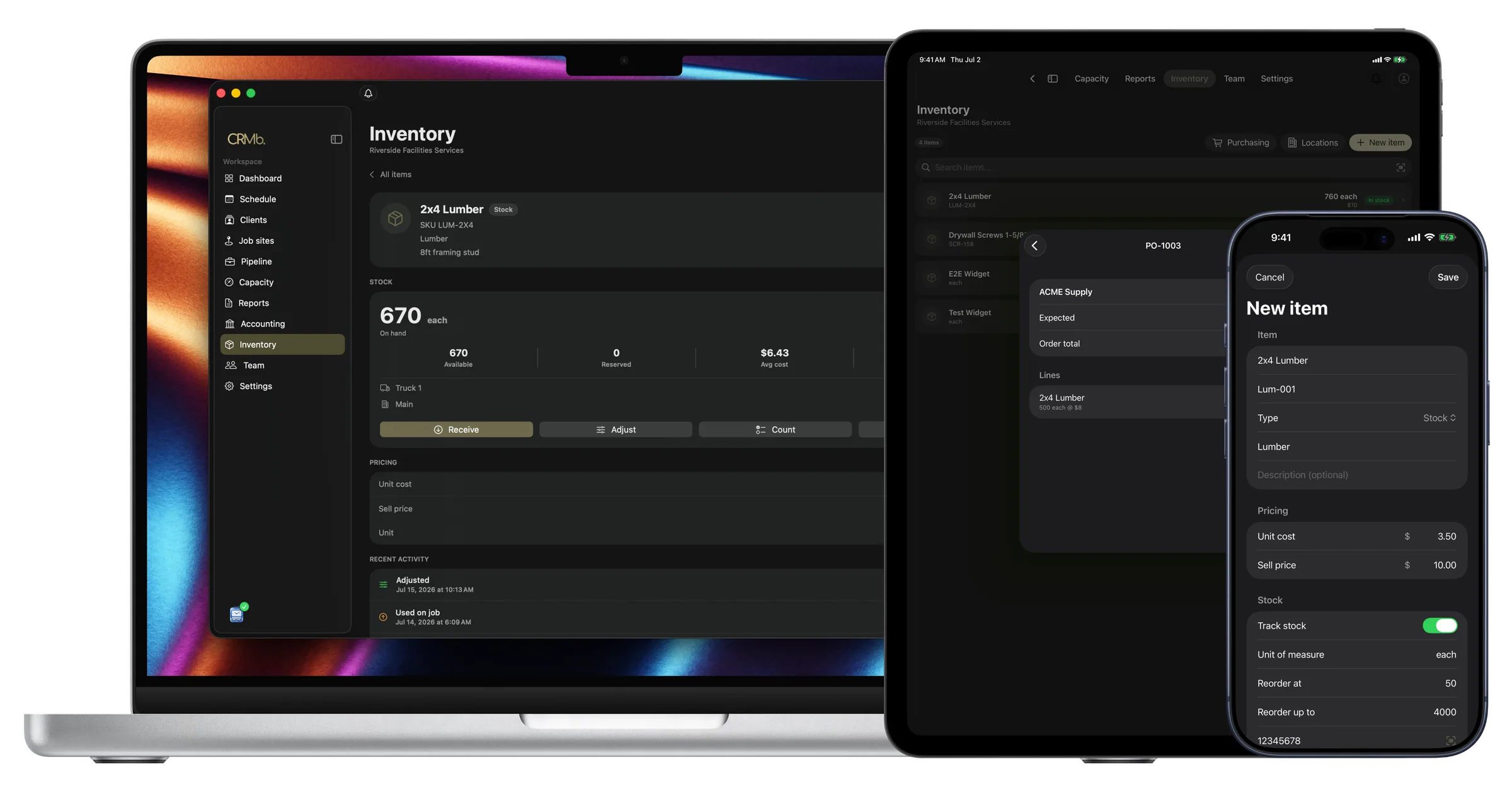
Hardware, shop hours and install hours sit on one job
A cabinet job runs for weeks. The shop builds it, a crew installs it, and the numbers get added up afterward.
CRMb keeps that job open. Hardware pulled from a bin comes off that location's count at the average of what you paid. Shop and install hours go onto the job at each person's rate.
Payroll is built in: mark a week paid in Punch and CRMb matches the payout from your bank feed to the cent. CRMb does not close your books at year end. It reads your bank transactions, so a job's spending matches what you spent. Money never moves through CRMb, and your bookkeeper gets a clean export each month.
Hardware bins
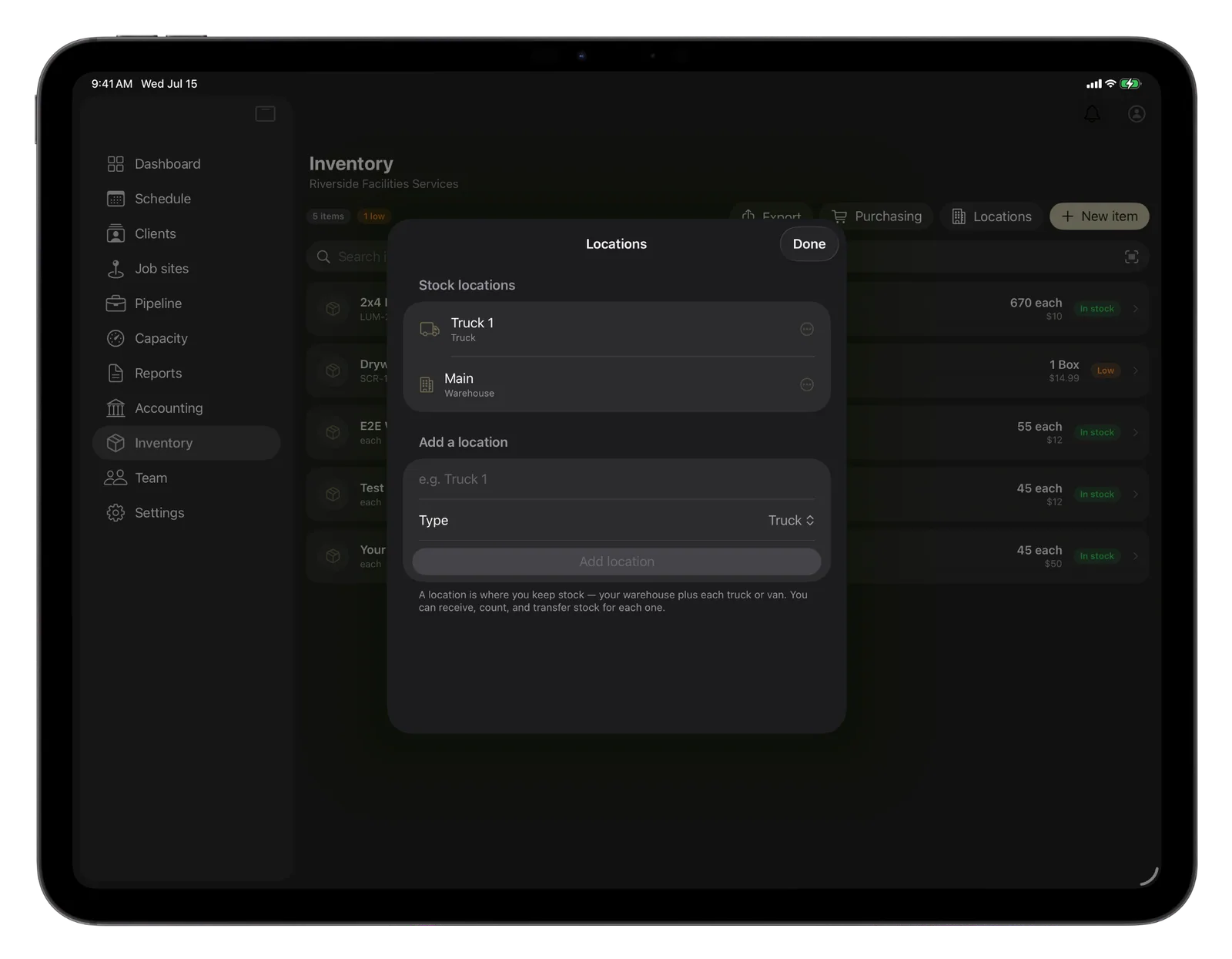
Hardware is counted in the shop and on each truck.
Load slides onto the install truck and both counts change.
- A reorder point warns you before a bin runs empty
- Hardware used on a job is charged at your average cost
- Sheet goods bought for a job count the same way
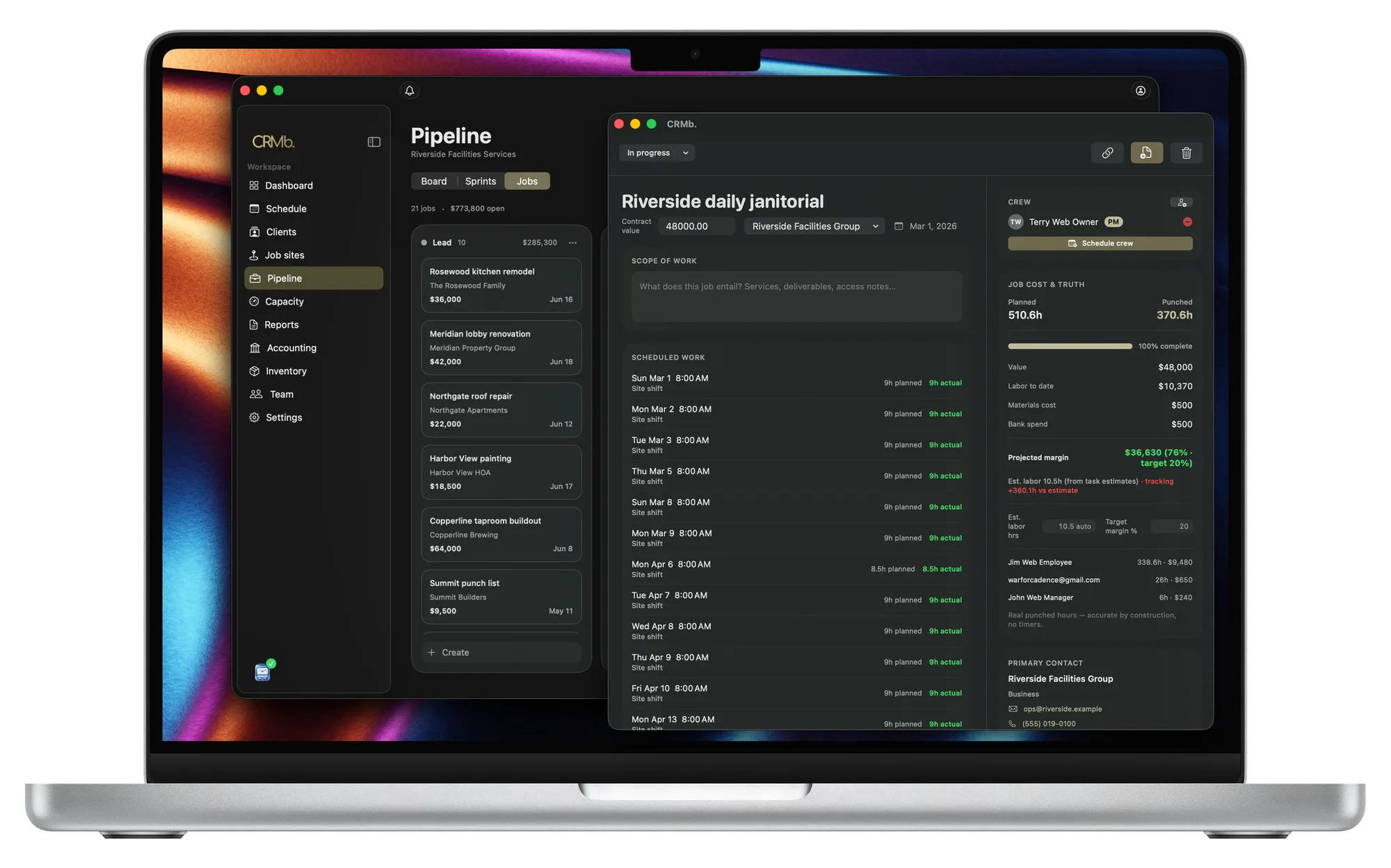
Job cost
One job stays open from the shop to the install.
Planned hours sit beside the hours worked while the job runs.
- The build and the install share one job
- Labor cost is listed for each person, at their rate
- Margin updates every week the job stays open
Quote to invoice
A signed quote and its deposit become the invoice.
Your terms, the deposit and a pay link come with it.
- One tap adds the job's hardware at your selling price
- Worked hours become line items, priced per person
- A flat price still shows the hardware in the cost
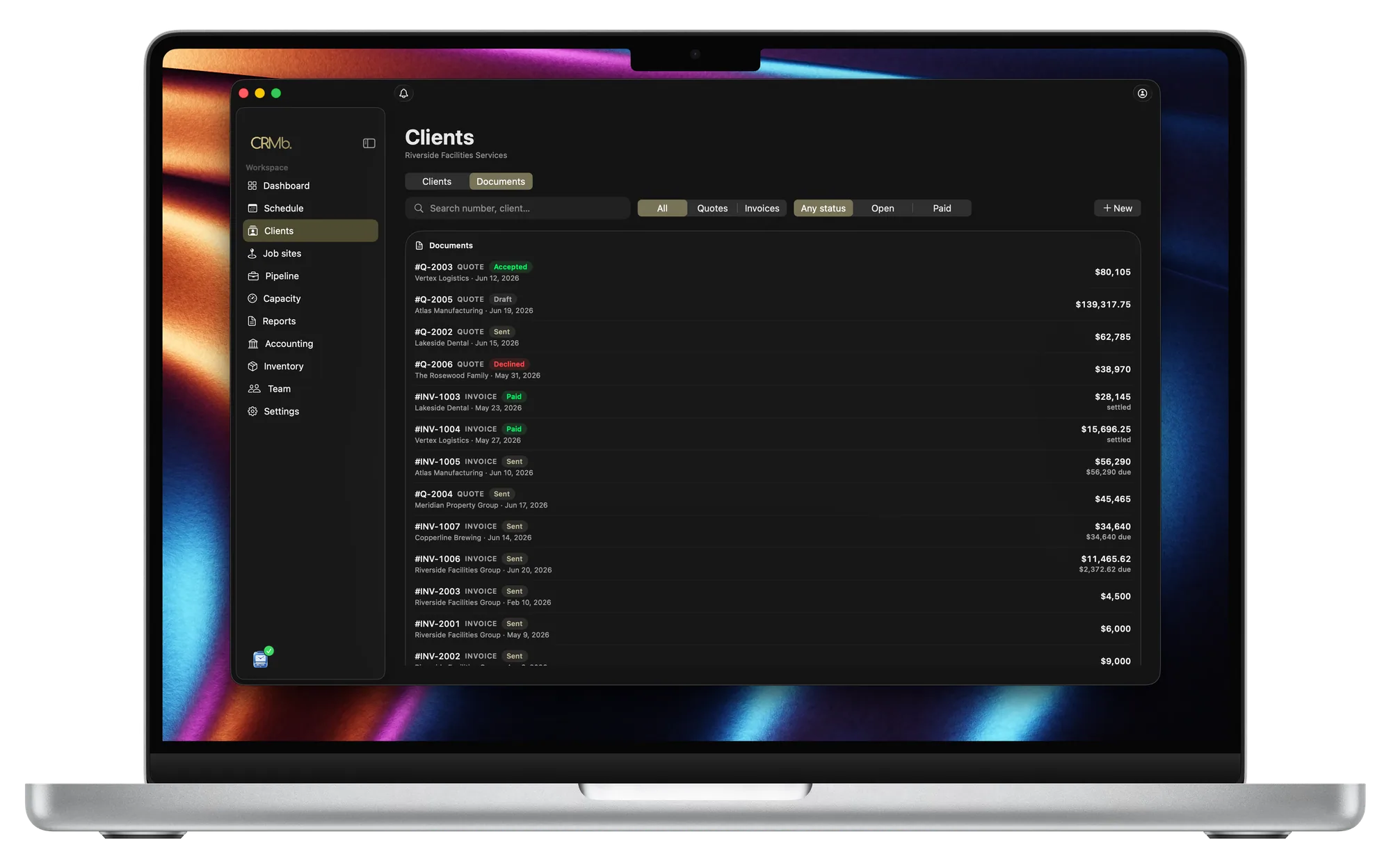
From the sheet goods to the invoice you send.
The shop and each truck count separately
Moving stock between them changes both counts.
Order hinges before the bin is empty
Set a reorder point and CRMb tells you early.
Hardware costs the job your average price
Two prices for the same slide average out.
A quote can become a purchase order
What you receive counts at the location you name.
Every hour is priced at that person's rate
Worked hours become the job's labor cost.
See the margin before the install ends
It moves with every hour worked.
The Punch connection
The hours your crew works reach the job on their own.
Punch is the time app your crew uses. A person punches in on site, lunch comes out, and the rest goes onto the job at that person's rate.
- Shop and install time go onto the same job
- Both apps share your job sites and your crew
- With a paid CRMb plan, Punch on the web costs 25 percent less
Problems it puts to bed.
You add up a cabinet job weeks after the install.
The job's cost is current every day it stays open.
The install stops because a box of slides is empty.
CRMb warns you in time to order more.
Pulls and hinges get installed and never reach the invoice.
Whoever uses the hardware records it on the job. One tap invoices it.
Sheet goods cost one price this order and more the next.
The job is charged the average of your orders.
Questions
The ones you are actually asking.
- How does hardware from the bin reach the invoice?
- The person who uses it records it on the job. That location's count goes down and the job takes your average cost. One tap adds it to the invoice at your selling price.
- Does CRMb replace my cabinet design software?
- No. CRMb has no cabinet design, cut lists, CNC programming, dispatch board, route planning or per-cabinet history. Keep drawing and nesting where you do now (Cabinet Vision, Mozaik, INNERGY, Allmoxy). CRMb handles the hardware, the hours and the invoice.
- Can I schedule repeat install visits for a builder?
- Yes. Choose how often the visit repeats and when it stops, and CRMb schedules the whole series. One confirmation email goes out, about the first visit. CRMb does not bill them.
- What does CRMb cost for a shop?
- Your first CRMb user is $39 a month and every user after that is $29. Inventory and Purchasing add $20 a month. You get 14 days free and CRMb asks for no card. See pricing.
- What if my shop does not use Punch?
- A manager enters the hours a person worked, or marks a shift a no-show. Those hours go onto the job at that person's rate.
Stays where it is today: cabinet design software and cut lists, CNC programming and machine files, a dispatch board and route planning, serial history for each cabinet, your year-end books.
See it on real punched hours.
14-day free trial. Your Punch data is already inside.