CRMb for low-voltage and AV
See what an install has cost before it is finished.
The warehouse and each van count their own cable and gear. Hours are charged to the job at each installer's rate. Your drawings stay where they are.
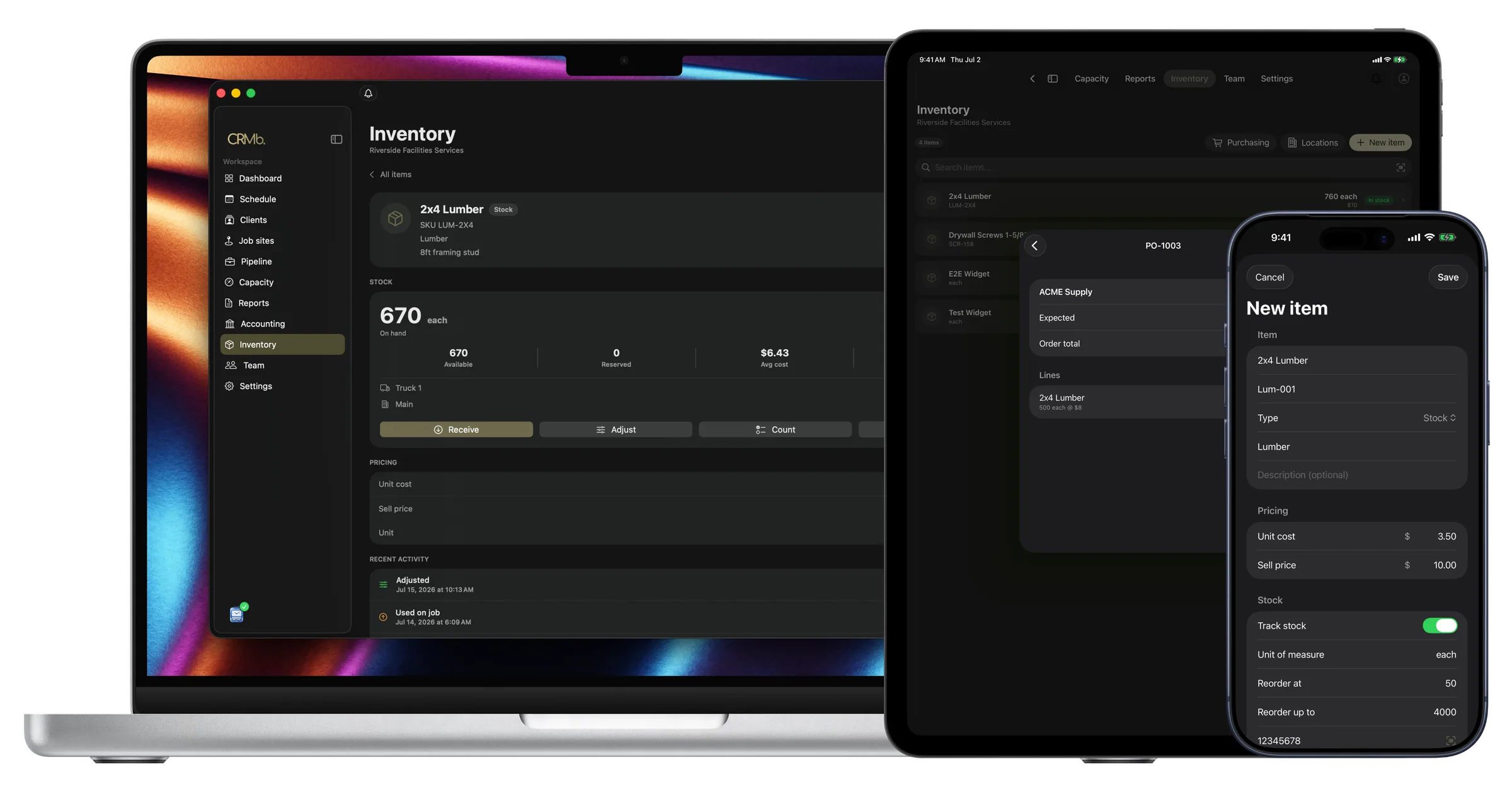
A long job shows its cost the whole way through
Rough-in and trim-out are separate visits. In between, cable and gear leave the warehouse and hours go on paper. None of it reaches the office until later.
Cable and hours go into CRMb as the work is done. An installer logs a spool on the job, that van's count drops by one, and the job is charged your average cost. Hours go onto the job at each person's rate. The gear and the hours each go onto the invoice in one tap.
Payroll is built in: mark a week paid in Punch and CRMb matches the payout from your bank feed to the cent. Your bank transactions come in on their own, so job spending matches what left the account. CRMb never moves money, and your bookkeeper gets a clean export at month end.
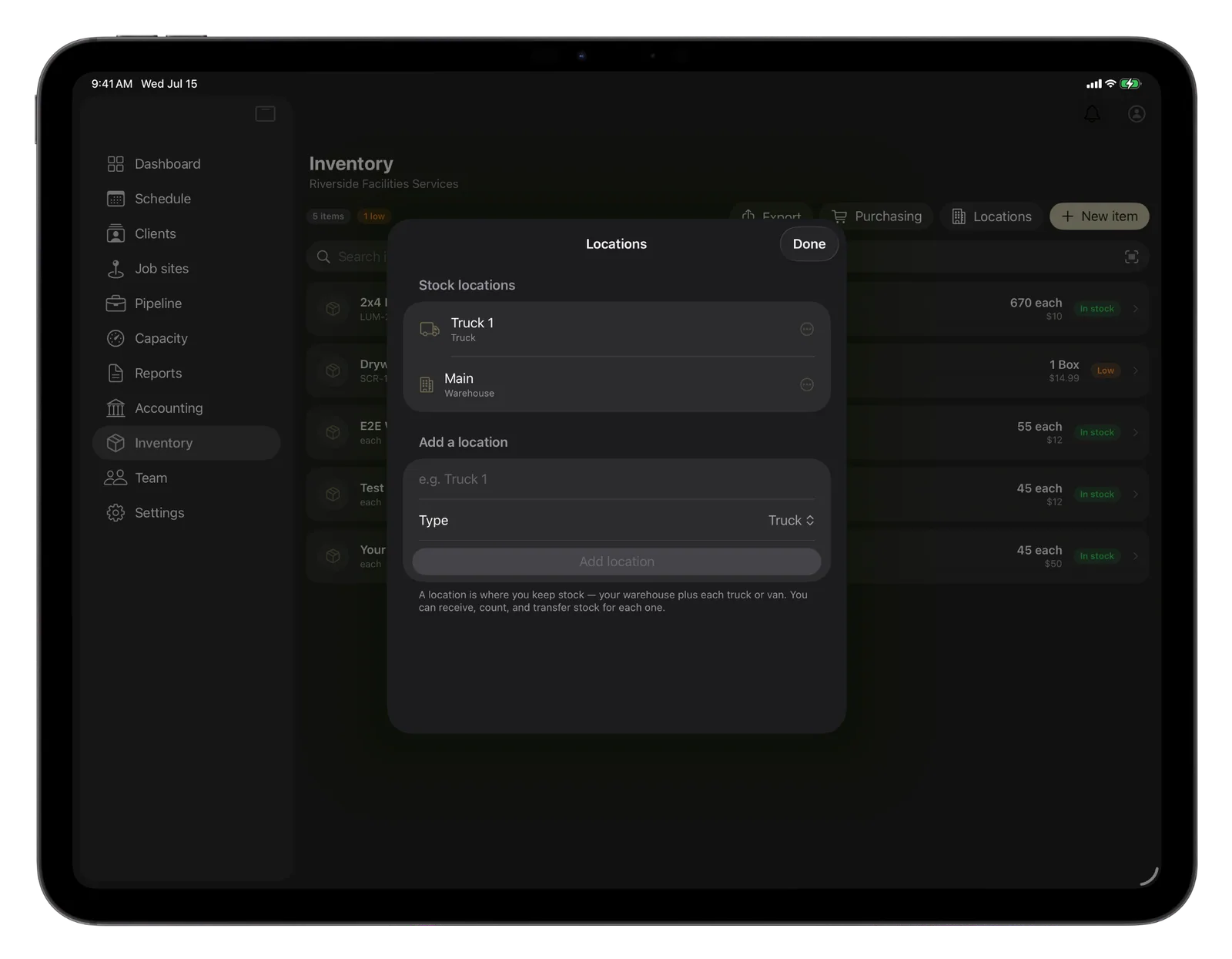
Stock by location
You know how much cable each van is carrying.
Move a reel onto a van and the warehouse count drops as the van's count rises.
- The warehouse, the shop rack and each van keep separate counts
- A reorder point warns before connectors run out
- Parts used on a job carry your average cost
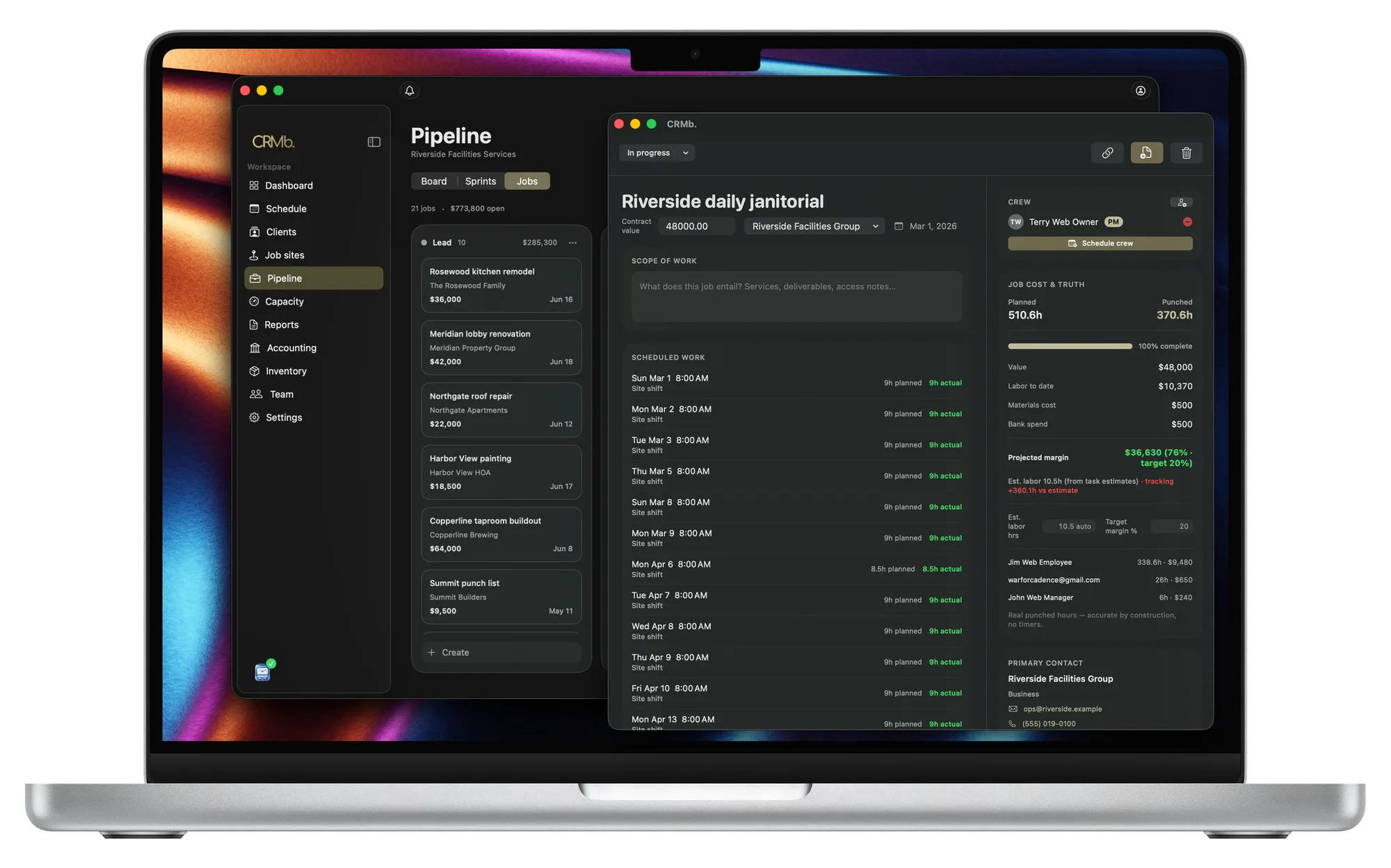
Job cost
Bid hours and worked hours sit side by side.
Rough-in and trim-out belong to the same job, so the cost covers both visits.
- A job going over its hours shows while the crew is on site
- The margin changes as your installers put in hours
- Labor cost is listed for each installer, at that installer's rate
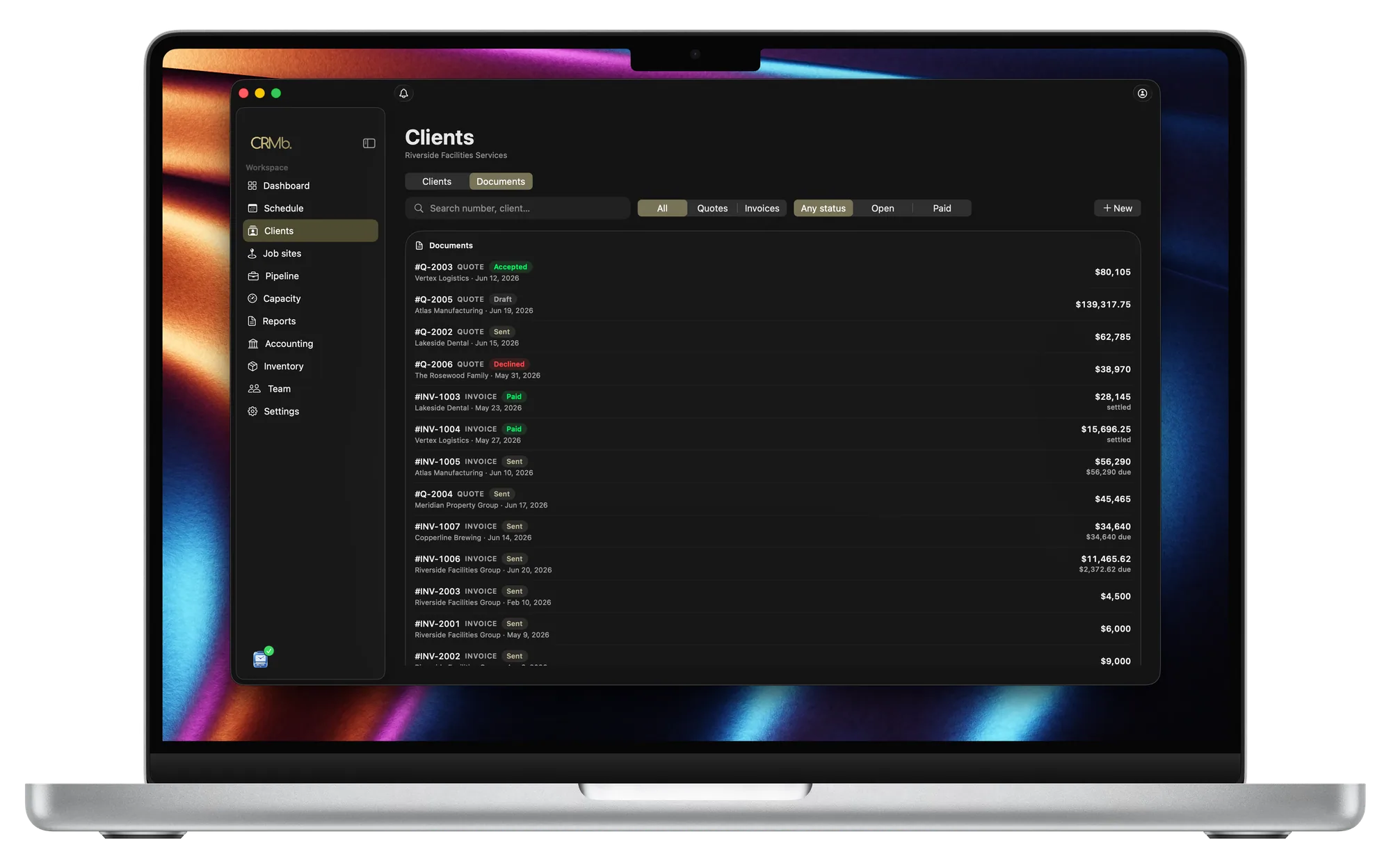
Billing
Bill the gear and the hours on one invoice.
You check the invoice instead of building it by hand.
- Each installer gets their own invoice line
- The gear you logged goes on at your selling price
- Terms, deposit and pay link come from the quote
From the gear you order to the invoice you send.
Each location holds its own count
Cable and connectors are counted where they are stored.
You know when the cable is running low
Give your fastest-moving cable a reorder point.
The job is charged your average cost
Buy the same reel twice at different prices and CRMb uses the average.
A purchase order goes to your supplier
Turn a quote into a purchase order, and what arrives goes into the location you name.
Worked hours set the labor cost
The cost comes from hours worked, not the hours you bid.
You know the margin before you send the invoice
The margin updates while the install runs.
The Punch connection
Your installers punch in, and the hours go straight onto the job.
With Punch, an installer punches in at the job site. Lunch comes out. The labor cost grows as the shift runs, at that installer's rate.
- Nobody types the hours into CRMb
- Job sites and people are shared between the apps
- A paid CRMb plan takes 25 percent off a Punch plan you buy on the web
Problems it puts to bed.
Trim-out starts and nobody knows what the rough-in cost.
The install is one job, so the cost keeps adding up.
Nobody is sure how much cable is left on a van.
Each van keeps its own count of what is left.
Gear arrives and nobody knows where it was put.
Receive the order into the location you name and the count rises.
Hours worked never make it onto the invoice.
Punched hours go onto the job, then onto the invoice.
Questions
The ones you are actually asking.
- How does a spool of cable get onto the invoice?
- Your installer records the spool on the job. That van's count drops by one, and the job is charged your average cost. The cable goes onto the invoice at your selling price. Bill a flat rate and the cable still counts in the job's cost.
- Does CRMb do system design, dispatch, or serial numbers?
- No. CRMb has no design tools, no dispatch board, and no serial-number record for the devices you install. Keep your drawings in the tools you use today (D-Tools, Visio, AutoCAD). CRMb covers the gear, the hours and the invoice.
- Our rough-in and trim-out are weeks apart. Does that work?
- Yes. The job stays open the whole time. Every hour and every part goes onto that job. The margin covers the whole install rather than a single visit.
- What does it cost?
- One CRMb user costs $39 a month. Every user after that is $29, and Inventory and Purchasing adds $20. You pay for the people who log in, not the whole crew. See pricing.
Stays where it is today: system drawings and design software, the dispatch board and routing, a service record for every device you installed, warranty registration, the books your accountant closes.
See it on real punched hours.
14-day free trial. Your Punch data is already inside.