CRMb for HVAC
Know what a job cost the day you finish.
Every van keeps its own parts count, and the hours your techs punch become the labor cost. Keep dispatching calls the way you do today.
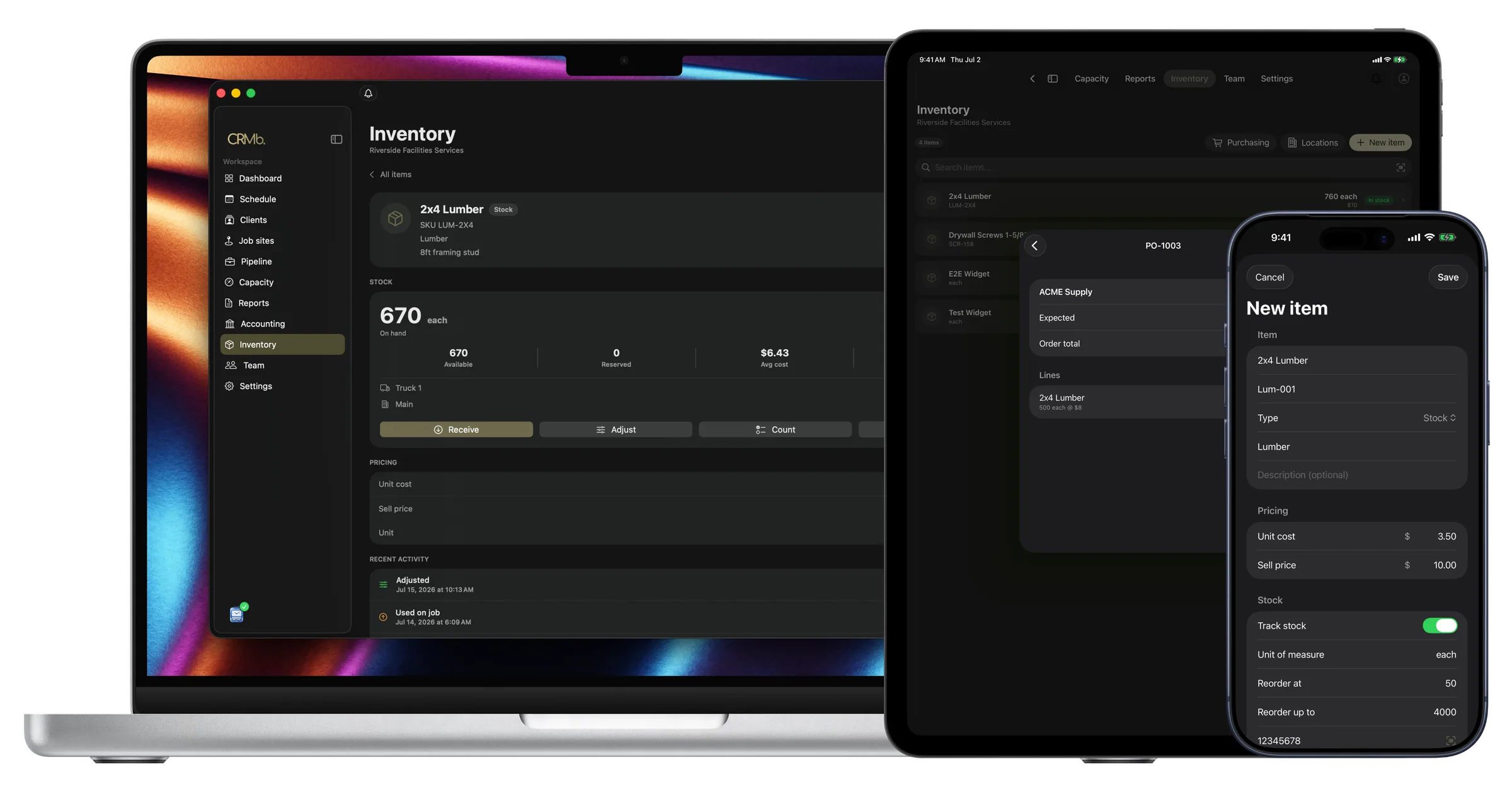
Every job's cost adds up as the work happens
Without CRMb, parts used and hours worked are written down on the job and typed in later.
CRMb records both as the work happens. A part used on a job comes off the van's count, at the average of what you paid. Punched hours become the labor cost, at each person's rate. Parts and hours each go onto the invoice in one tap.
Payroll is built in: mark a week paid in Punch and CRMb matches the payout from your bank feed to the cent. It reads your bank transactions, so job spending comes from what you actually spent, and it never moves money. Your bookkeeper gets a clean export at month end.
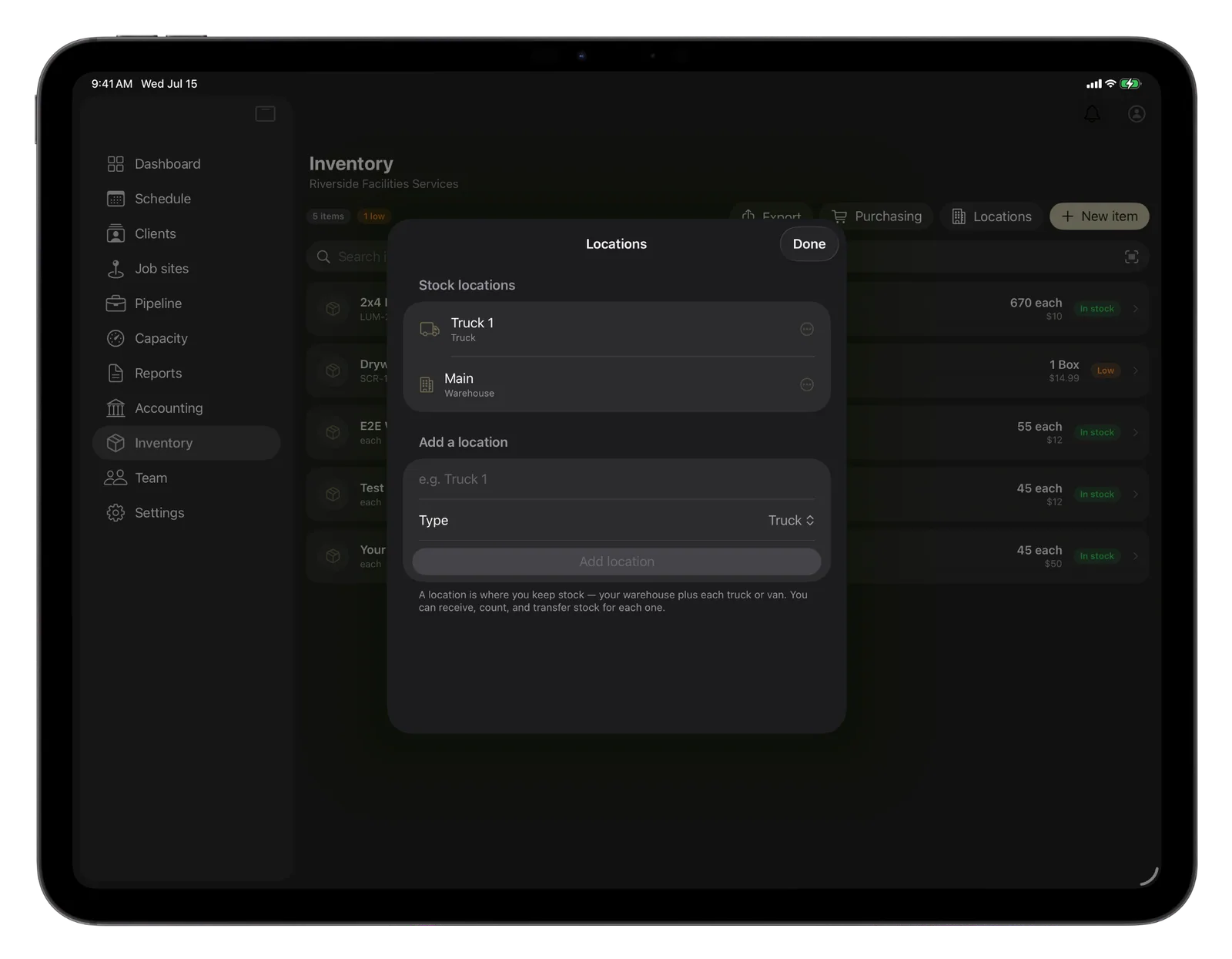
Van stock
Know what is on each truck before it leaves.
Move stock from the warehouse to a truck and both counts change.
- Warehouse, trucks and vans each keep their own count
- A reorder point warns you before you run out
- Parts come off the van at your average cost
Job cost
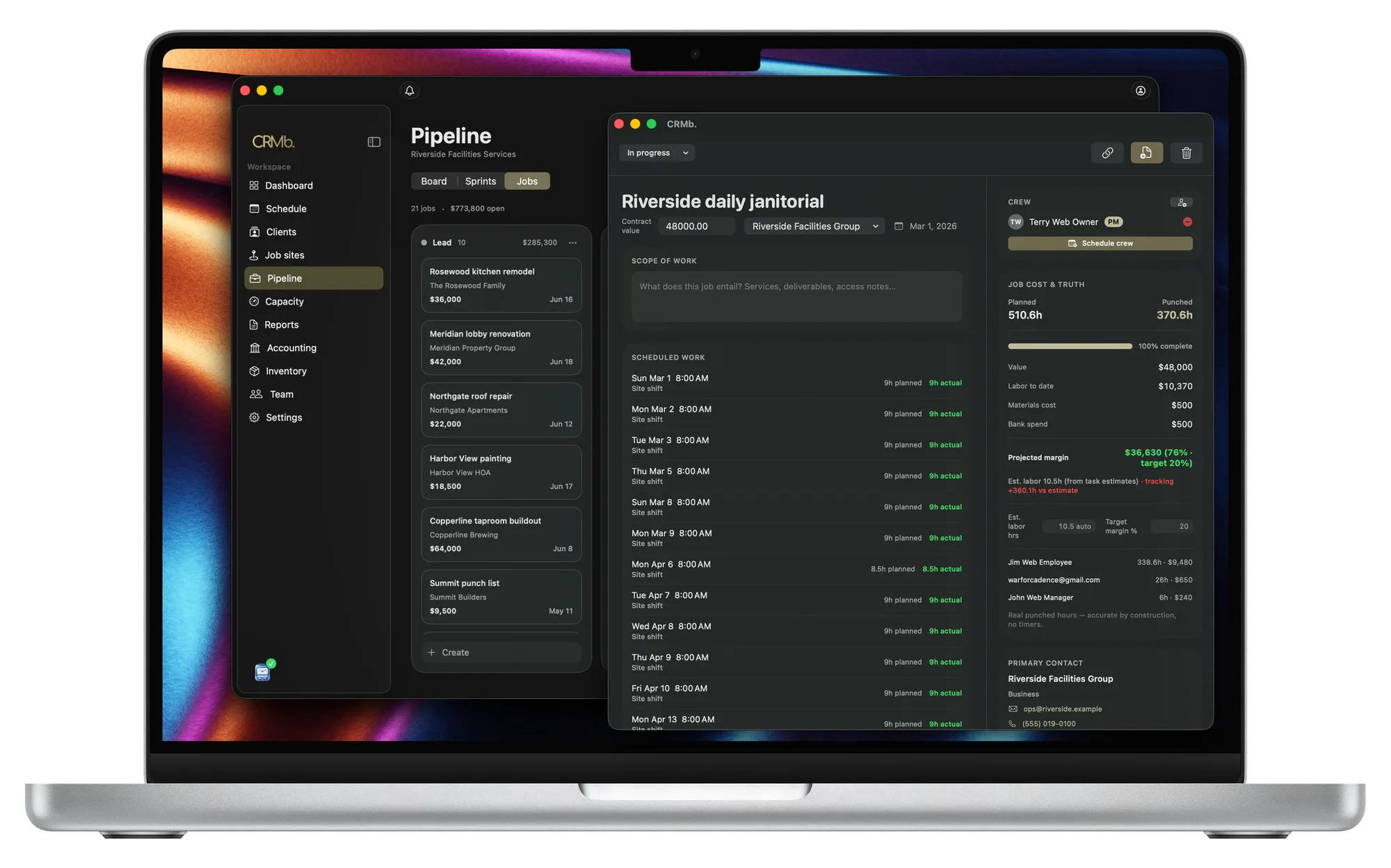
Every job shows planned hours against worked hours.
You see a job running long while it is open.
- Planned hours sit beside worked hours
- Labor cost and margin update as the work happens
- Labor cost is listed for each person
The invoice
The parts and the hours go on the invoice.
You review the invoice instead of writing it.
- Worked hours become line items, priced per person
- Parts go onto the invoice in one tap
- The invoice carries your terms, deposit and pay link
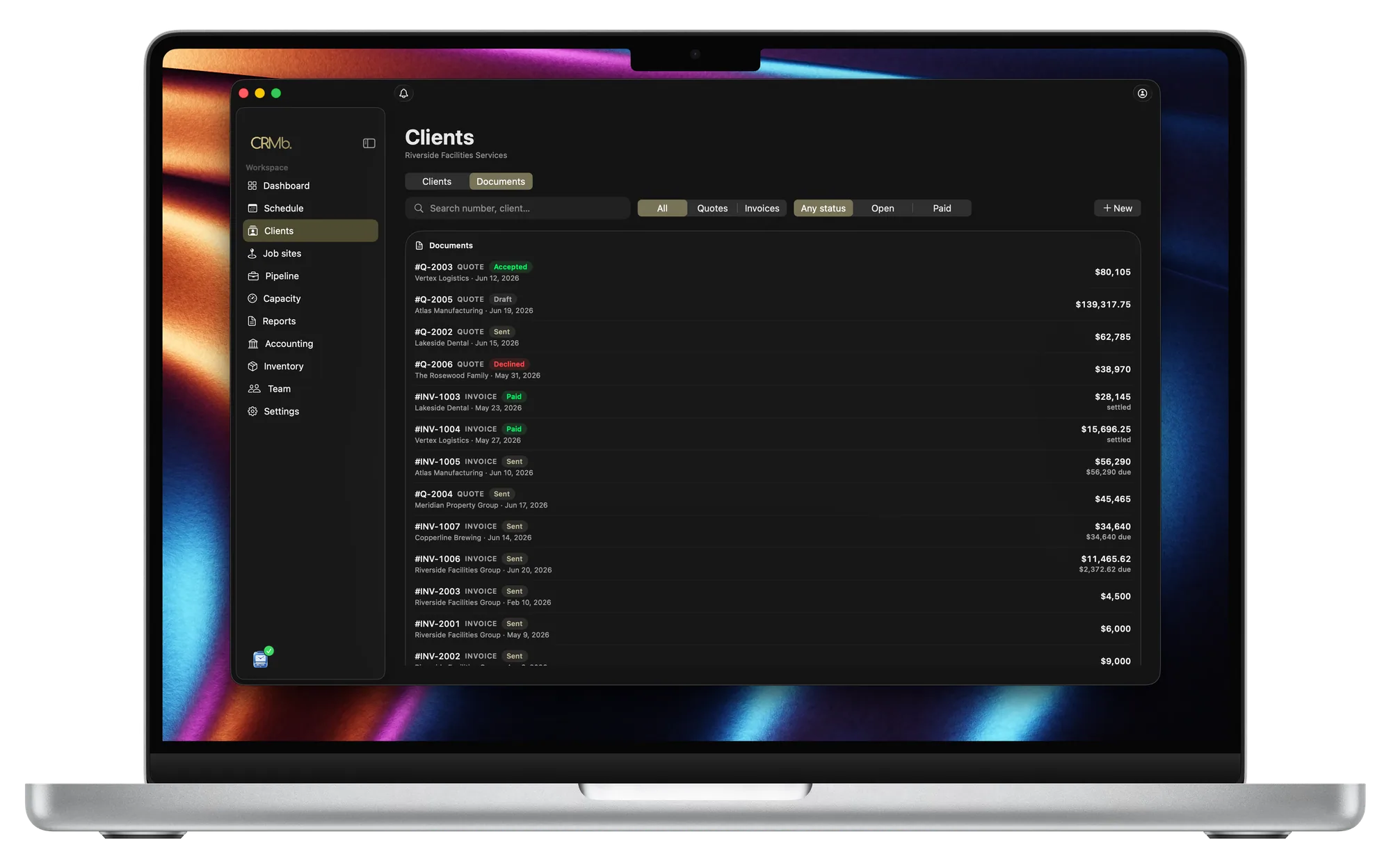
From the accepted quote to the paid invoice.
Every van keeps its own parts count
Move a part to a van and the cost moves with it.
Reorder before you run out
Set a reorder point on the parts you use most.
The job is charged your average cost
Pay two prices for the same part and the job uses the average.
An accepted quote becomes the invoice
Your terms and deposit carry over. A quote can also become a purchase order.
Punched hours become the labor cost
Each person's hours are priced at their own rate.
See a job's margin before you invoice it
The margin moves as the hours are worked.
Problems it puts to bed.
You learn what a job made after it is over.
Cost and margin update while the job is open.
A tech drives back to the shop for a part the van should have had.
CRMb warns you before a part runs out.
Parts get written on a job and typed in later.
The tech records the part on the job. One tap puts it on the invoice.
You paid two different prices for the same part.
You record what you paid on each delivery, and the job uses the average.
Questions
The ones you are actually asking.
- How does a part from the van get onto the invoice?
- The tech records the part on the job. It comes off the van's count at your average cost. One tap adds it to the invoice at your selling price. If you bill a flat rate, the part still shows in the job's cost.
- Does CRMb do dispatch, routing, or equipment history?
- No. There is no dispatch board, no route planning, and no serial-number history for the units you service. Keep scheduling calls in whatever you use today (ServiceTitan, Housecall Pro, Jobber), and keep load calculations in your Manual J software. CRMb handles the parts, the hours and the invoice.
- Can I run maintenance agreements in CRMb?
- You can schedule the visits. CRMb does not bill them for you. Set how often a visit repeats and when it ends, and CRMb creates the whole series. The customer gets one confirmation email about the first visit.
- What does it cost?
- $39 a month for your first CRMb user and $29 for each one after, plus $20 for Inventory and Purchasing. You pay only for the people who use CRMb. A twelve-tech shop can have three CRMb users, and all twelve techs' hours still show up in job costs. See pricing.
Stays where it is today: your dispatch board and route planning, the service history of each unit, Manual J load calculations and equipment selection, manufacturer warranty registration, your accountant's year-end books.
See it on real punched hours.
14-day free trial. Your Punch data is already inside.