Project board
The board that keeps itself current.
Track every task and project the way that fits the moment, as a board, a table, a timeline, or a sprint. Each card carries the real hours worked on it and moves itself along as the work gets done, so the board is never out of date.
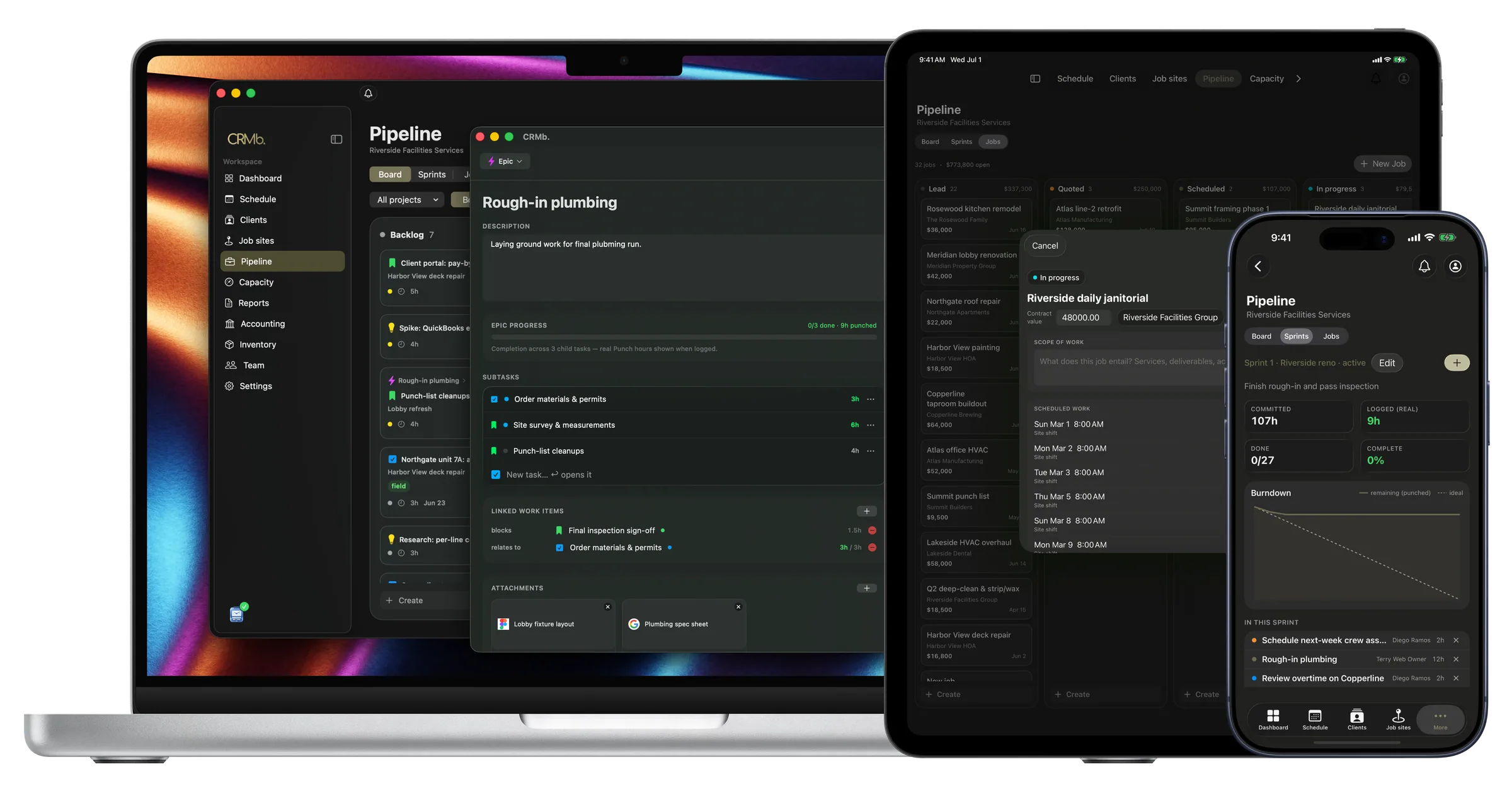
Task detail
The whole task, in one place.
Open any task and find its description, its checklist of smaller pieces, what it is waiting on, its files and its history. A big job rolls up the real hours from everything under it, so progress is something you measure, not guess at.
- Subtasks that roll up to the big picture
- Flag what is blocking what
- Files, labels and a full history
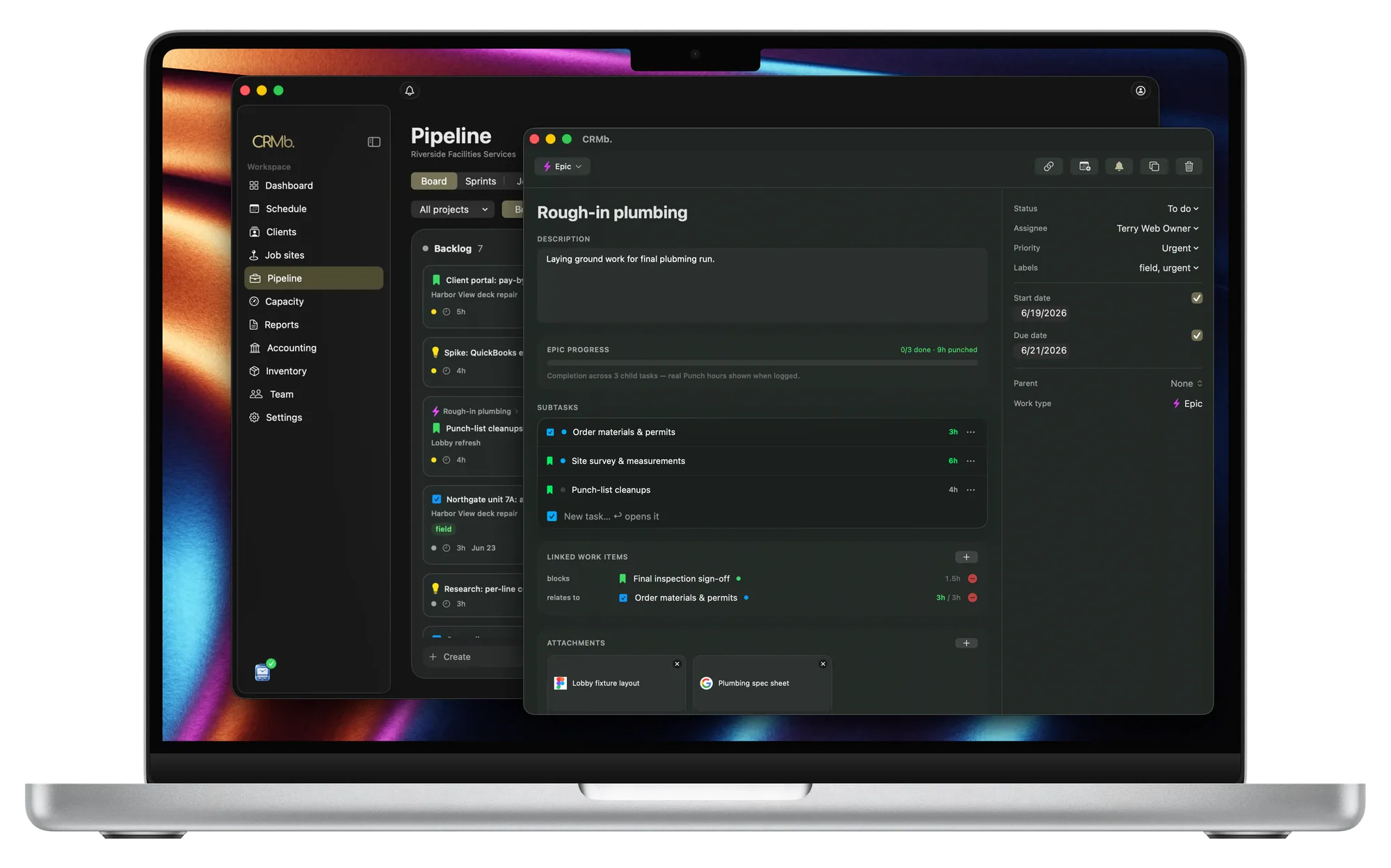
Table view
The same work, as a tidy list.
Switch to a table to take in everything at once. Sort by whatever matters, and filter down to just the type, project, person, priority or due date you care about right now.
- Sort and filter on any column
- Estimate next to hours actually worked
- Type, owner and due date at a glance
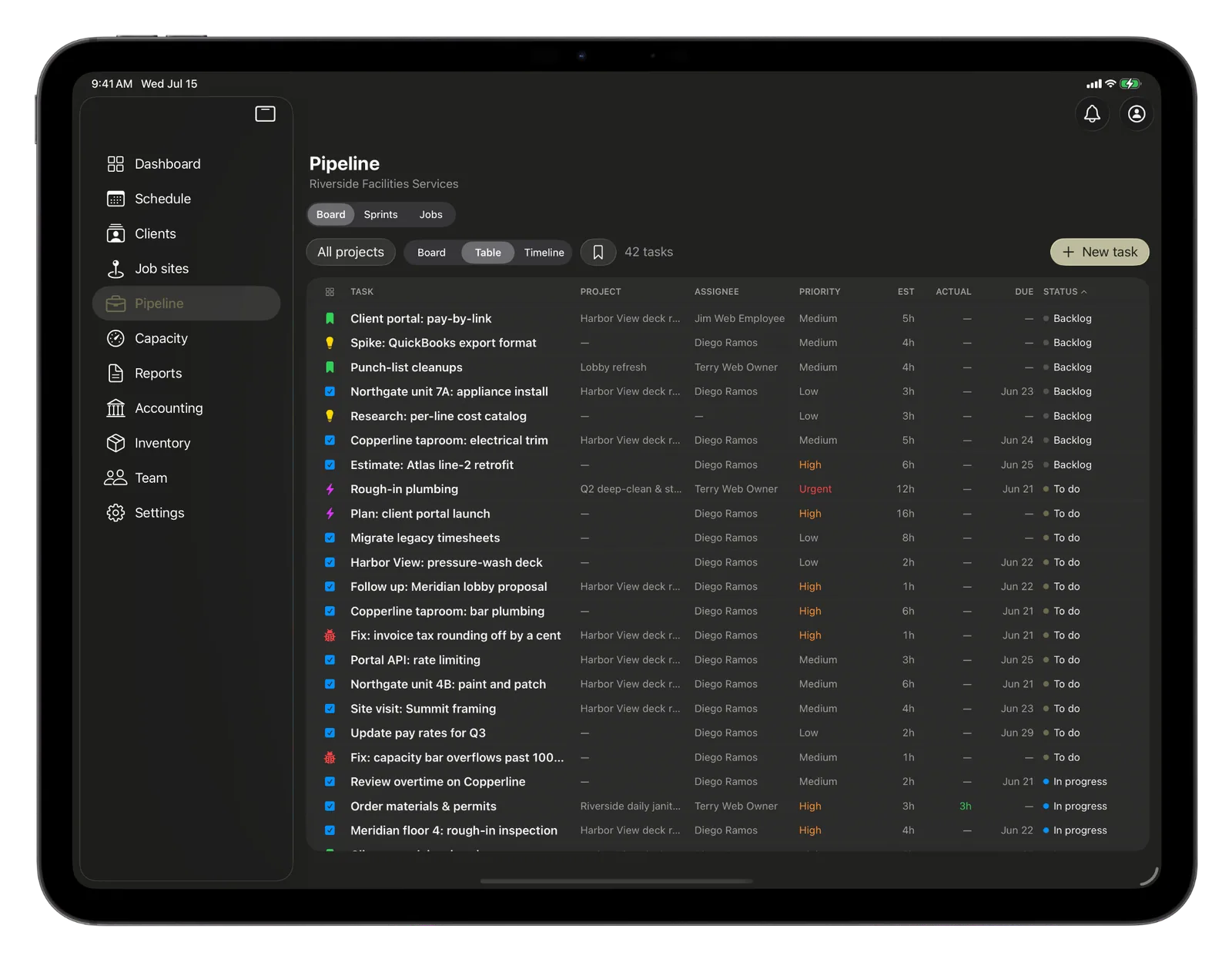
Timeline
The plan laid out across the weeks.
See the work as a timeline, each task a bar from its start to its due date, so the crunch weeks and the overlaps are obvious well before they arrive.
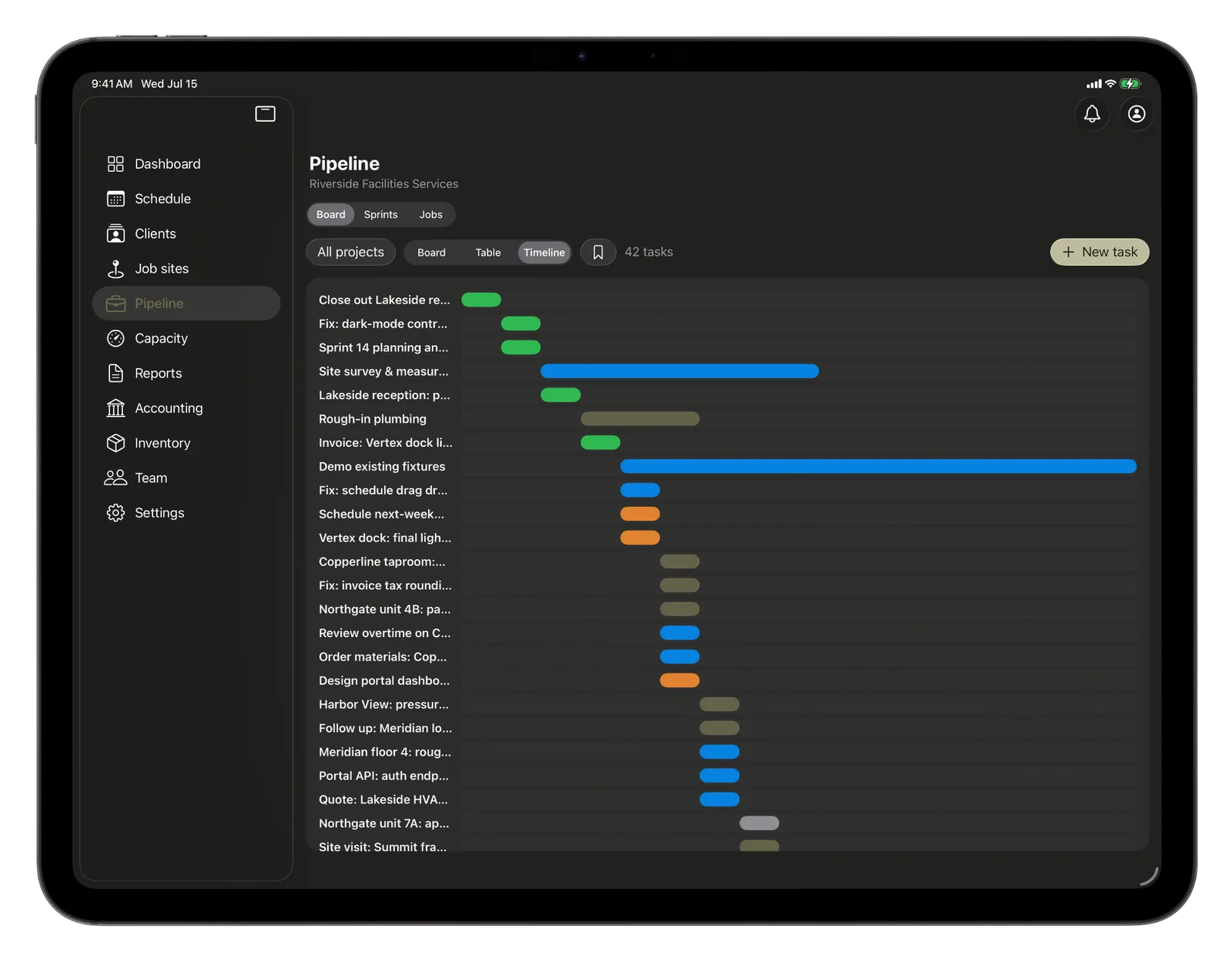
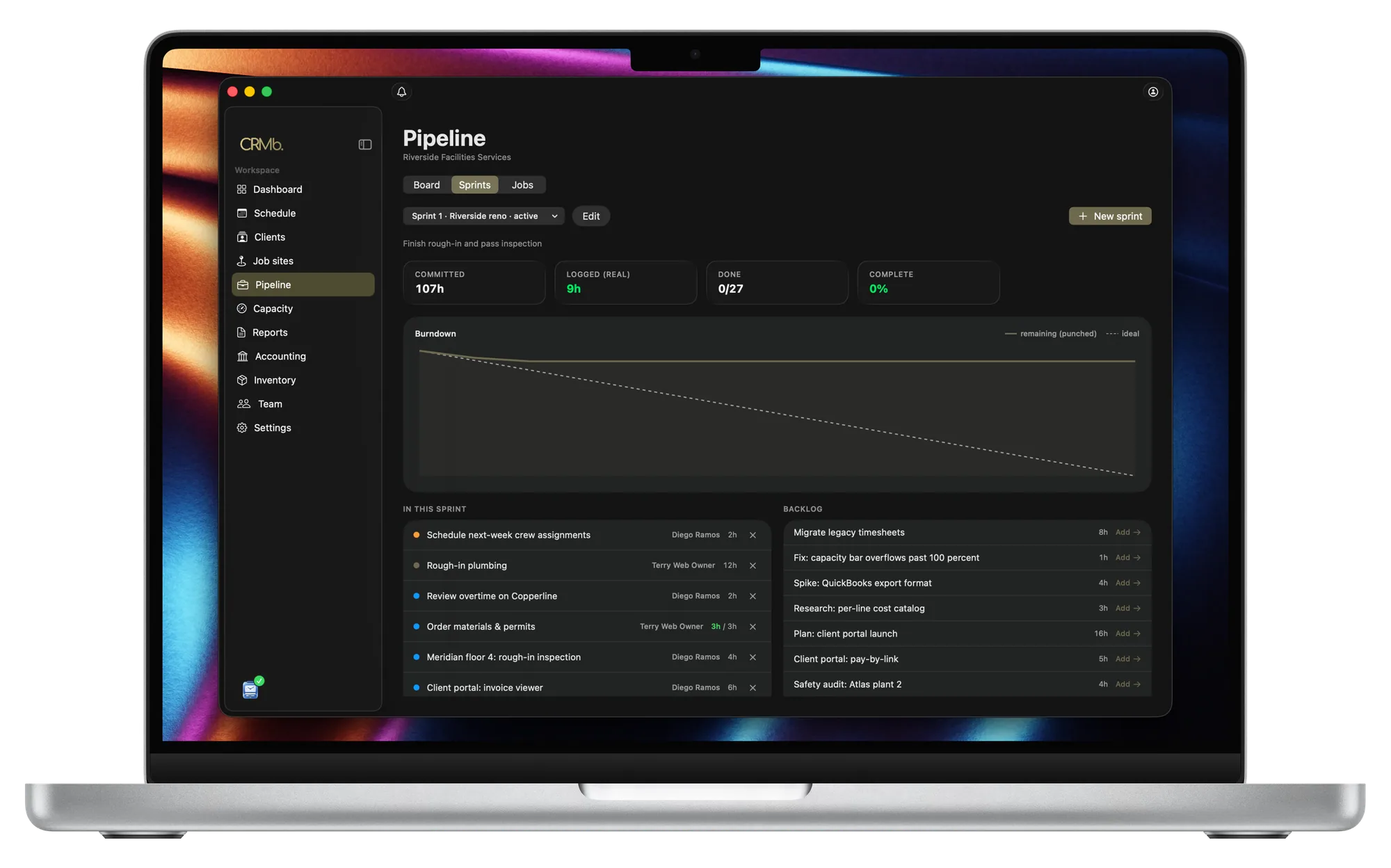
Sprints
Plan in the time it really takes.
Plan a sprint, commit the work, and watch it burn down. Your pace is measured in the hours the team actually puts in, not points someone guessed, so the next plan is grounded in how your team really works.
Deals
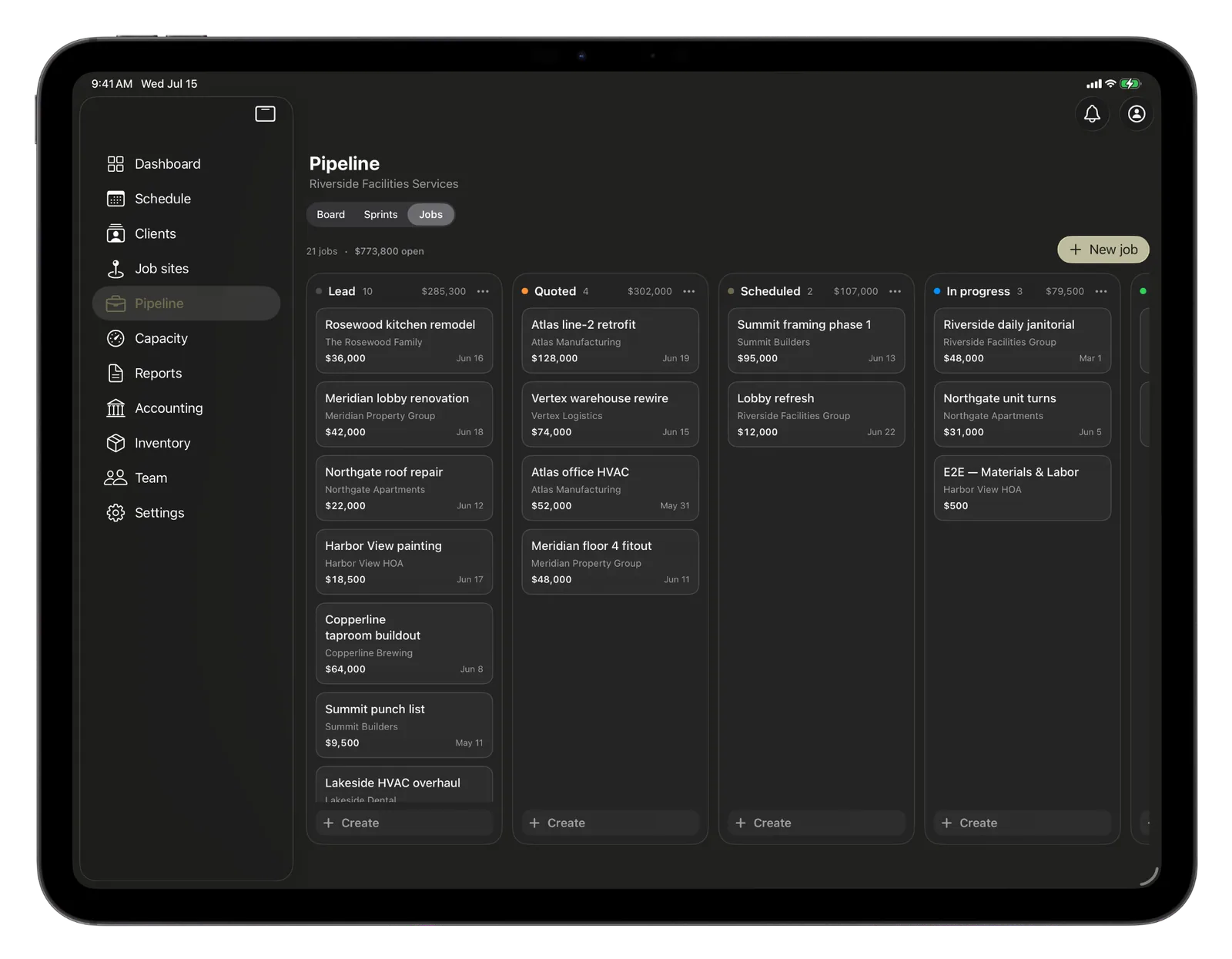
Your jobs, moving toward won.
The same board runs your sales pipeline. Drag a job from lead to quoted to scheduled to won, with the value in play totaled for each stage, so you can see the whole funnel at a glance.
One board, every way to see the work.
Board, table, timeline
Three views of the same work, plus sprints and a sales pipeline, all a click apart.
Group it your way
Split the board into lanes by person, project or priority, with the totals right on each lane.
Cap the work in progress
Put a limit on a column and it flags when the team is juggling too much at once.
What waits on what
Mark which task blocks another so the order of work is always clear.
Moves itself along
Each card shows the estimate next to the real hours, and advances on its own as the work gets punched in.
Save your views
Set up a filtered, sorted view once and come straight back to it any time.
The Punch connection
A board that moves when the work does.
Every other board is only as current as the last person who remembered to drag a card. CRMb's updates itself, because each task is tied to the work being done. When your crew punches in through Punch, the real hours move the card along. No nagging at standup, no stale columns.
- Tasks are tied to the shifts they are worked on
- Cards advance as the work is really punched in
- Progress and pace measured in real hours
Problems it puts to bed.
The board is always a few days behind reality.
It updates from real punch-ins, so it shows the work as it actually happens.
Story points never match real time.
CRMb plans and tracks in hours, against the hours your team really puts in.
Everyone wants to see the work a different way.
Board, table, timeline and sprints all read the same work, so pick the view that fits.
See it on real punched hours.
14-day free trial. Your Punch data is already inside.