CRMb 1.1: Your Client's Whole Story in One Place
CRMb 1.1 is live on the App Store for Mac, iPad, and iPhone. The client record is rebuilt — every person at the company, every phone number and email, every call, visit, and note in one running history — and your accountant can now have a login of their own that opens the books and nothing else, and never costs you a seat.
Your client's whole story, in one place
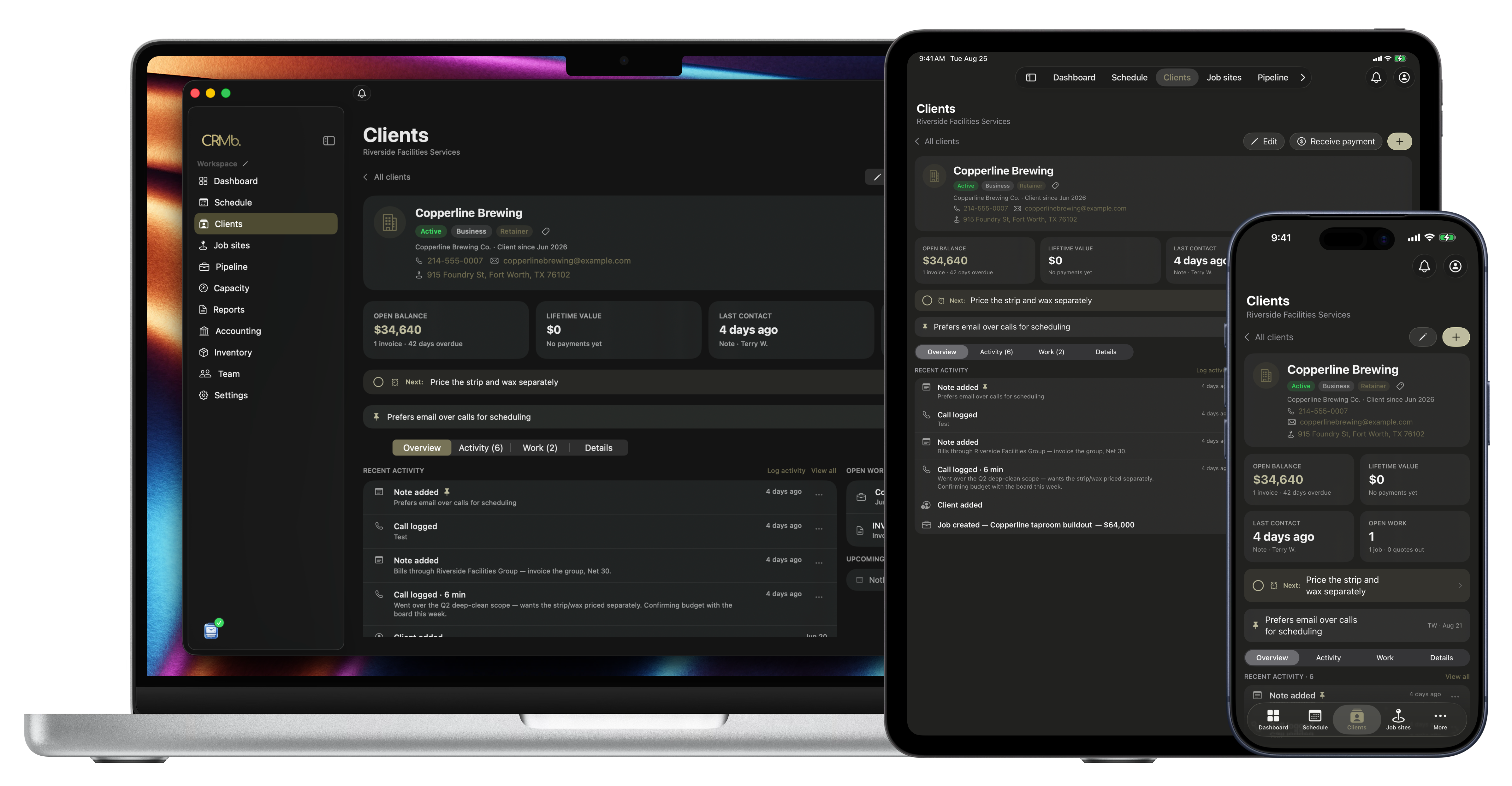
A client used to be a name, a number, and a list of jobs. Now it's the whole relationship: who you talk to, what you talked about, what they own, and what they're worth.
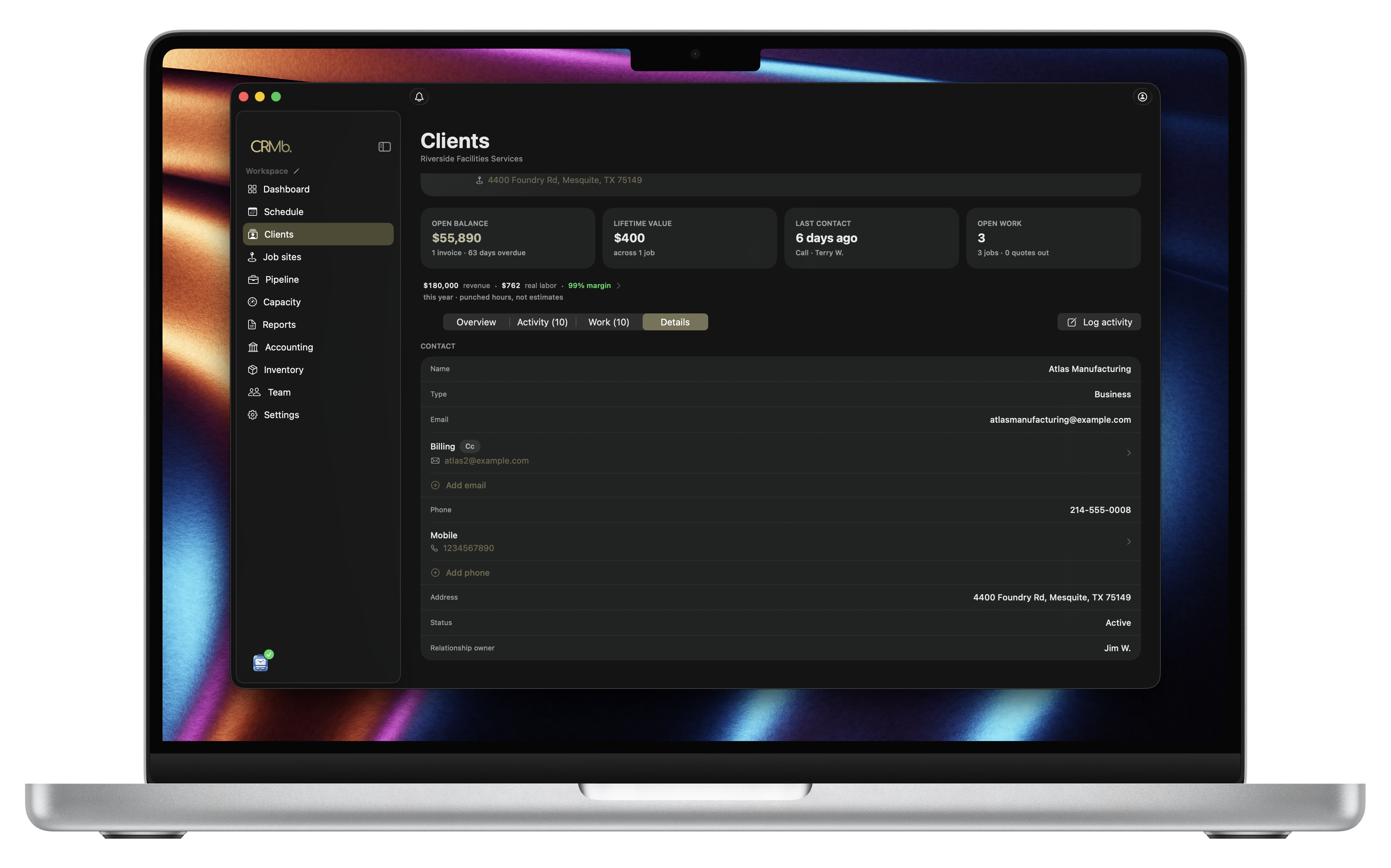
Everyone at the company, not just the main number. Keep each person you deal with, with their role, and mark the one who gets the bill — so invoices go to the right inbox without you thinking about it. Add the second email that accounting actually reads. Add the mobile you call when the office line rings out. No more contacts living in one person's phone.
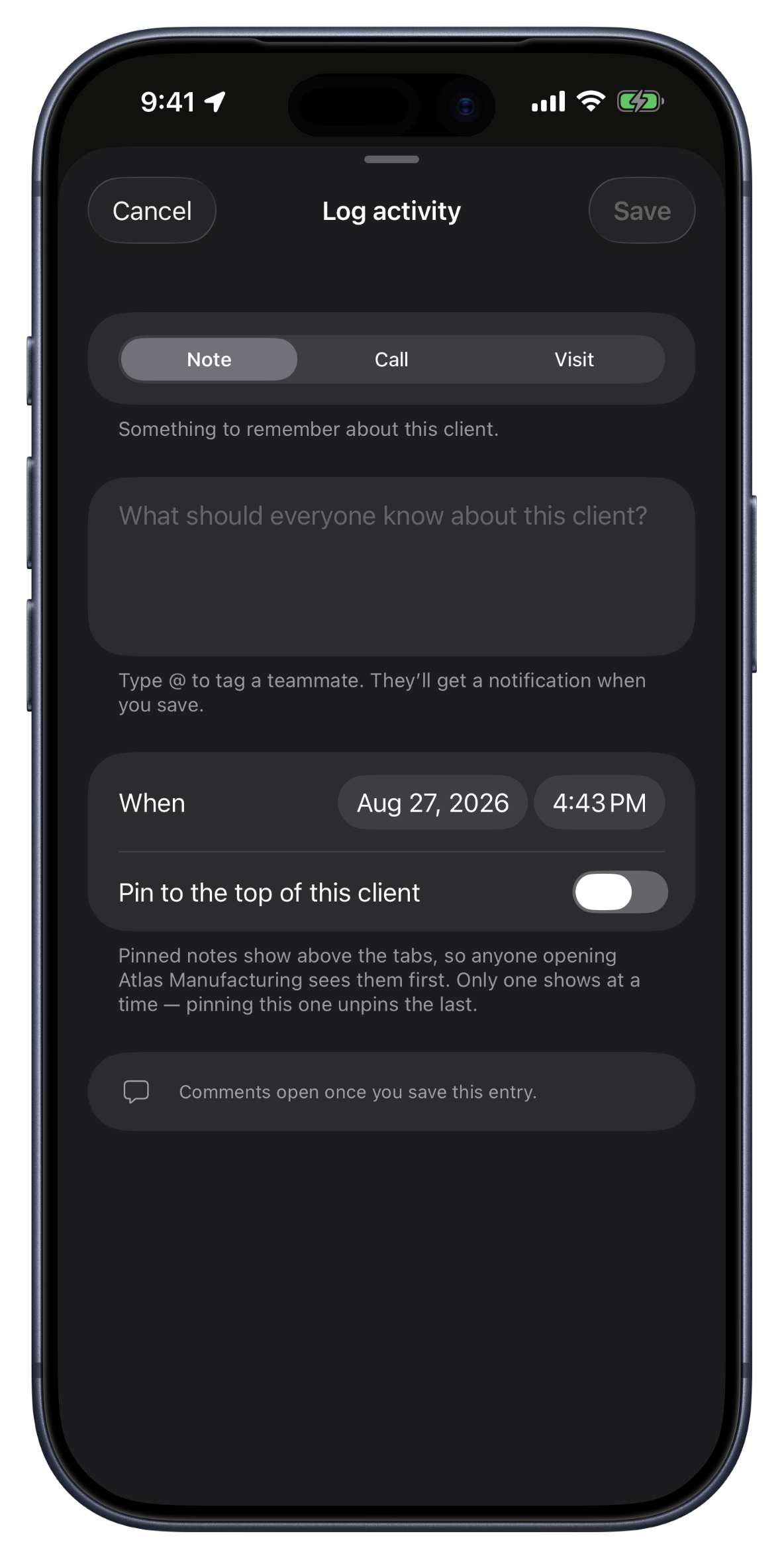
Log the call while you're still in the driveway. Note, call, or visit — three taps and it's on the record, timestamped, in the same history as everything else. Type @ to pull a teammate in and they get a notification. Pin the one thing everybody needs to know — prefers email over calls for scheduling — and it sits at the top of the client for the next person who opens it.
A history that fills itself in. Your crew's punched hours, the payment that landed, the quote the customer opened — they show up in the same feed as your notes, in order. Six months from now, when someone asks what happened on that job, the answer is on one screen instead of in three inboxes.
Every property they own. A client with four buildings gets a row per building, each with its own jobs, hours, and dollars. And the line under the tiles is the one nobody else can show you: revenue, real labor, and margin for the year, costed on hours your crew actually punched — not an estimate.
Two records that turned out to be one company. Merge them, and the jobs, quotes, invoices, and history come with. Better still, CRMb spots the close name match while you're still typing the new one. And if your list lives in a spreadsheet today, bring the whole thing in at once.
Give your accountant the books, not the keys
Every year the same awkward moment: your CPA needs the numbers, and your only options are to hand over your own login or spend a week emailing exports.
CRMb 1.1 adds a login built for them. Mark them as a CPA on your team, and they get Accounting and Reports in full — and nothing else. No client list, no pipeline, no schedule, no crew pay outside the books they're there to close. They can hold that login across every business they keep books for, and it never counts as a paid user on your account.
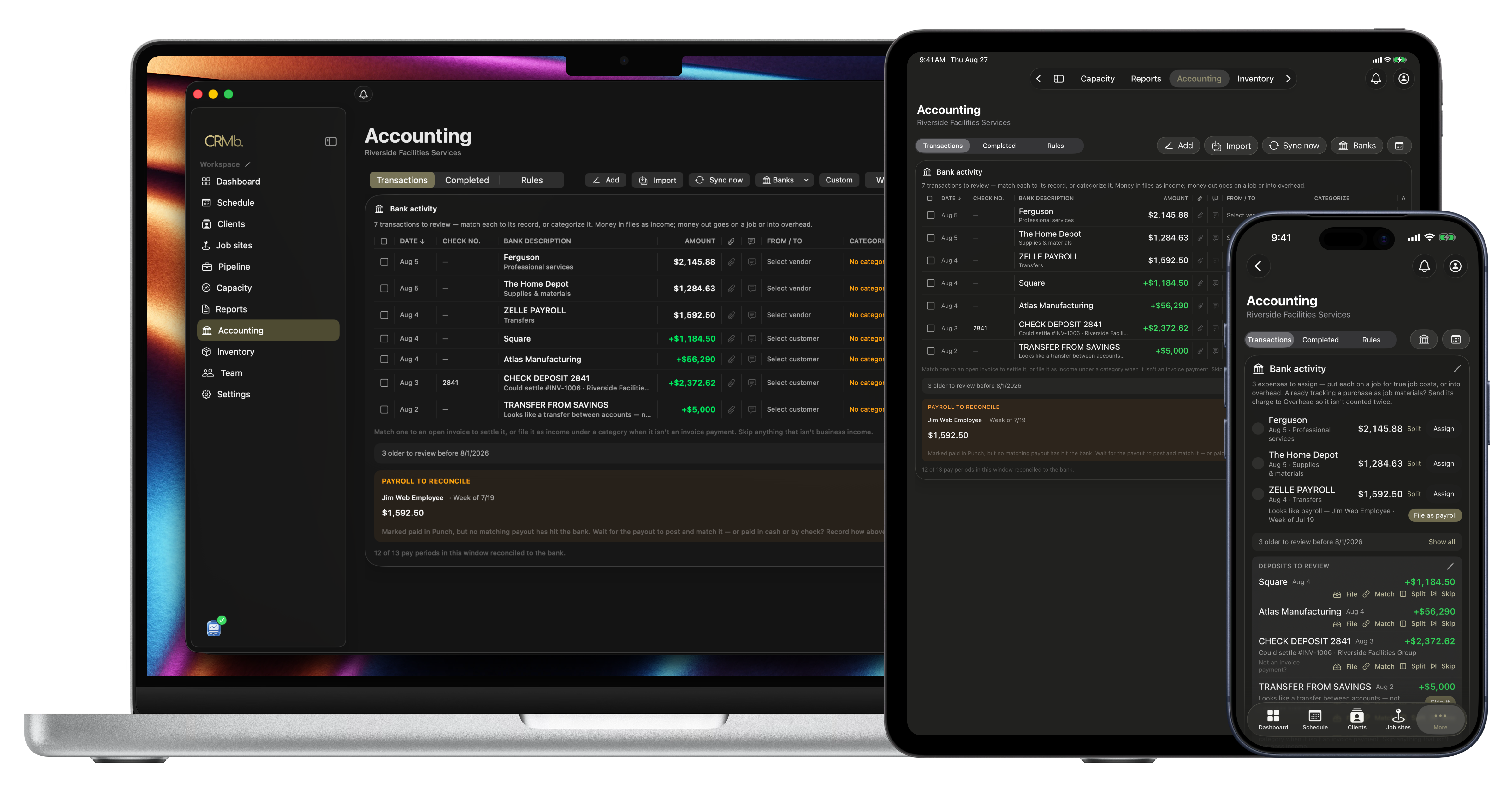
Accounting itself got easier to keep up with, too. Check off a screen of bank transactions and file them all at once. Accept a suggested category and CRMb offers to remember it, so that vendor files itself next month. Fix a category straight from the profit and loss, where you actually spot the mistake. And a transaction filed with no category now says so, instead of quietly telling you it was handled.
Also in this release
- The lock holds. Face ID and Touch ID now sit above everything the app can put on screen. An open menu, a half-typed sheet, the keyboard — none of it can be seen or tapped past the lock.
- Signing out is per device. Sign out on the iPad in the truck and your Mac at the office stays as you left it. Lost a device? Sign out of all devices is right there, on purpose, by itself.
- Your password fills itself. iCloud Keychain and your password manager now offer your saved sign-in on Mac, iPad, and iPhone.
- Invite a teammate with a link instead of a code you have to read out loud.
- Work for more than one company and join another one from inside the app.
- Every dropdown is alphabetical, on every platform, and you can type to find what you want.
- Discount, tax, and deposit line up in one money column on quotes and invoices, so the math reads at a glance.
- The pipeline board is faster and steadier, and a task that fails to save now tells you why.
- On the Mac, double-click an empty slot on the schedule and the shift composer opens, the way it should have all along.
- Long lists come back complete — big reports, long invoices, and full timesheets no longer stop partway.
Get it
- Mac, iPad, iPhone: Download CRMb on the App Store
- Web: crmb.io/app
- Already running CRMb? Update from the App Store and open any client. Your history is already there.
1.0 put the whole business in one app. 1.1 makes the client in it worth opening. See you in the next changelog.